14
OSD Menu
OSD Menu
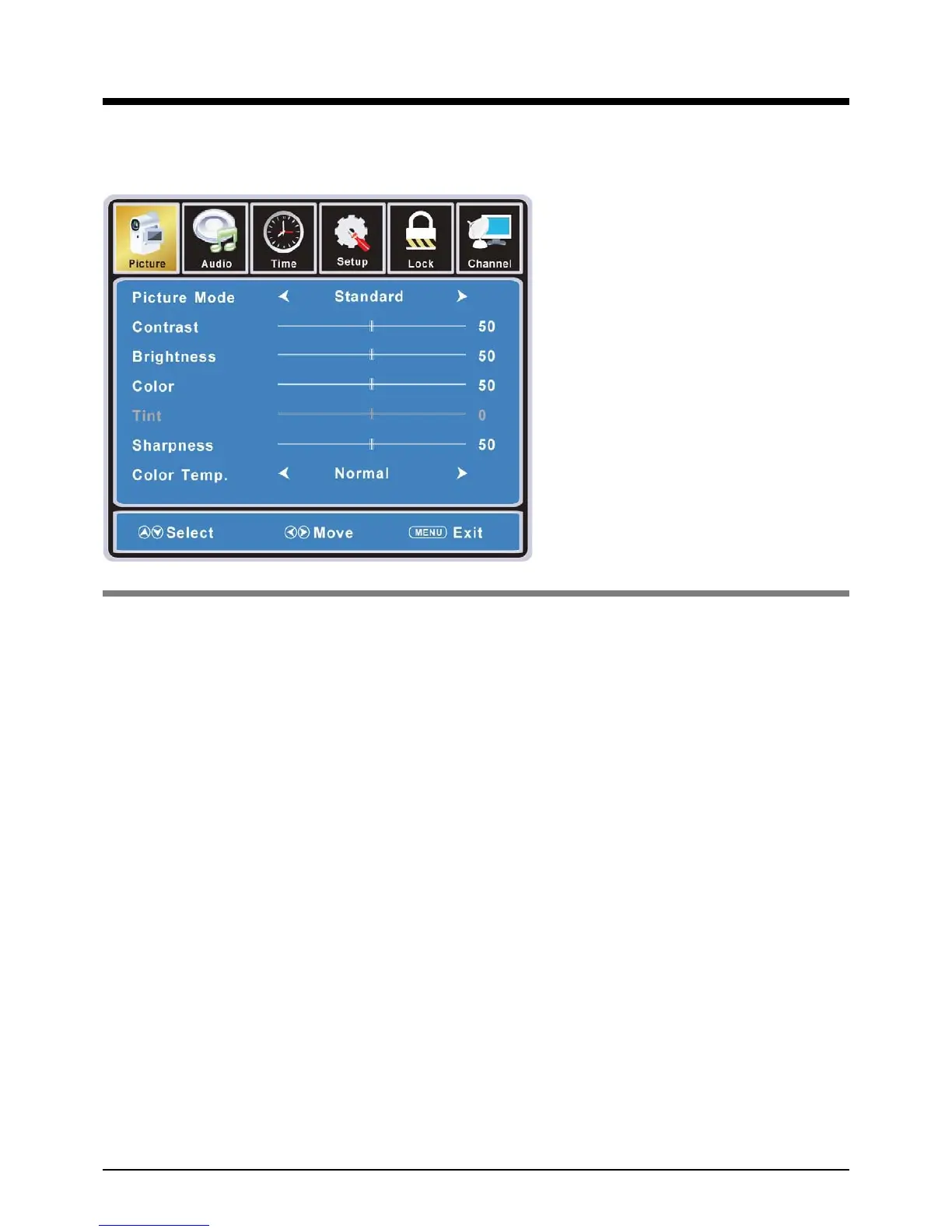
1. Picture menu
Picture mode: Select between Standard, Dynamic, Mild, Sports and User.
You may select the picture mode directly by pressing the PMODE button on the remote
control.
Contrast: Control the difference between the bright and dark regions of the screen picture.
Brightness: Adjust brightness of the picture.
Color: Adjust color of the picture.
Tint: Control the fresh tones to make them appear natural.
Sharpness:6HWWKHDPRXQWRI¿QHGHWDLOLQWKHSLFWXUH
Color Temp.: select between Normal, Cool and Warm.
Description



 To Next Page