13
Basic Operation
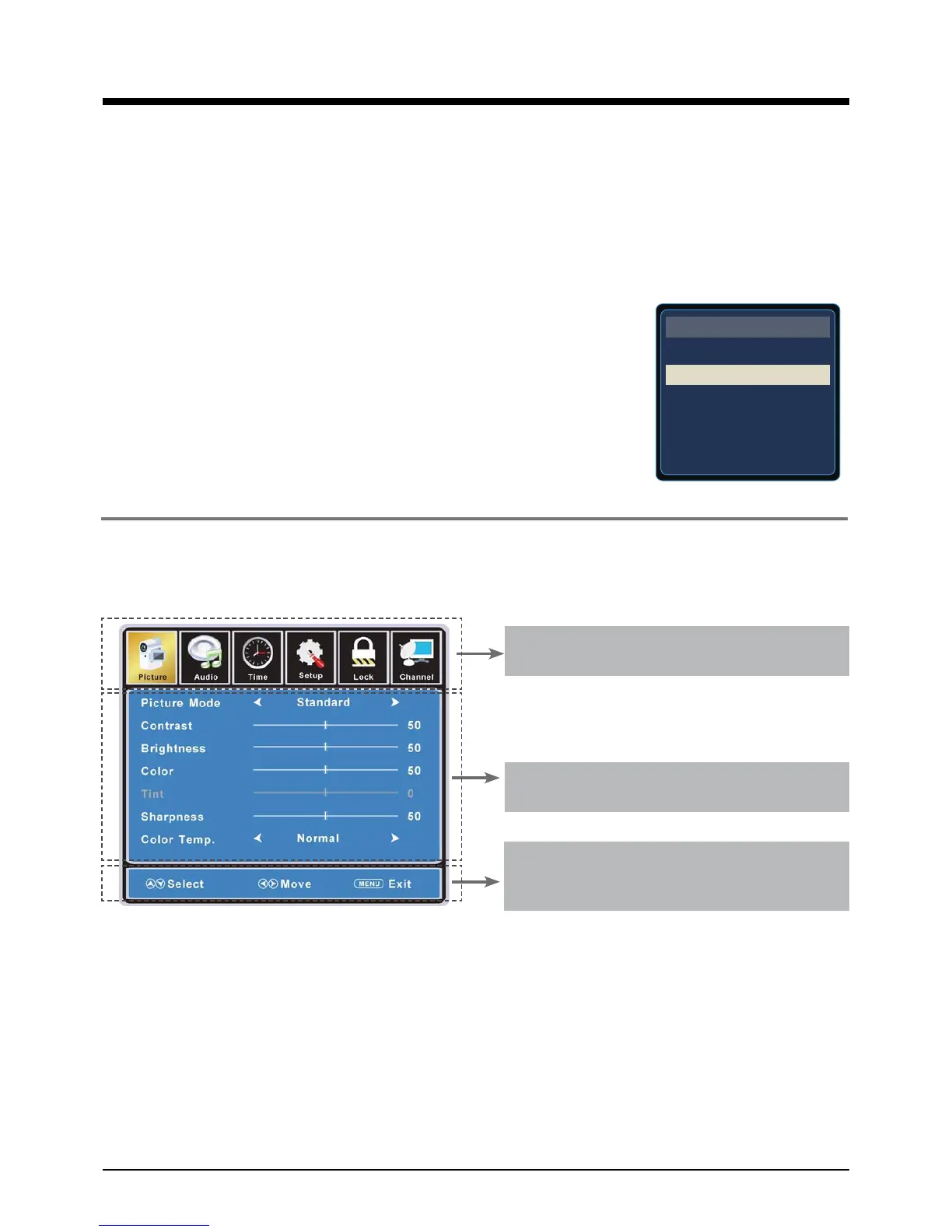
Basic OSD Menu operation
Main menu
Picture, Audio, Time, Setup, Lock, Channel
Submenu
(Picture menu for example)
Hint
you should operate the OSD menu
according to the hint.
Press MENU button to display the OSD menu as below:
Use
/
!
button to select the main menu, and press
Ģ
button to enter the submenu.
In the submenu, use
ġ
/
Ģ
button to select the function item, and you could:
adjust ("Contrast" item in Picture menu for example) with
/
!
button;
select ("Picture Mode" item in Picture menu for example) with
/
!
button;
enter the submenu ("Close Caption" item in Setup menu for example) with
!
button.
* (Press MENU button to return to the upper menu.)
* (Press EXIT button to exit the menu display.)
Note1: Only when you input the suitable signal, the relevant items can be activated
Note2: Please operating the OSD menu according to hint on the bottom of the banner.
Basic Operation
Power on/off
1. Connect to the power supply with a power code and an adaptor(page 9).
2.-To turn on the TV
Press POWER button on the TV or remote control.
-To turn off the TV
Press POWER button on the TV or remote control.
Input Source select
Press TV/AV button on the TV set or remote control
to display the input source menu, and use CH+/- button on the TV set
or
ġ
/
Ģ
button on remote control to select the input source, press OK
button on the remote control to enter.
Note: Before you select the input source, make sure the
connections are prepared.
TV
AV
S-Video
Component
HDMI
VGA
INPUT SOURCE
DVD



 To Next Page