19
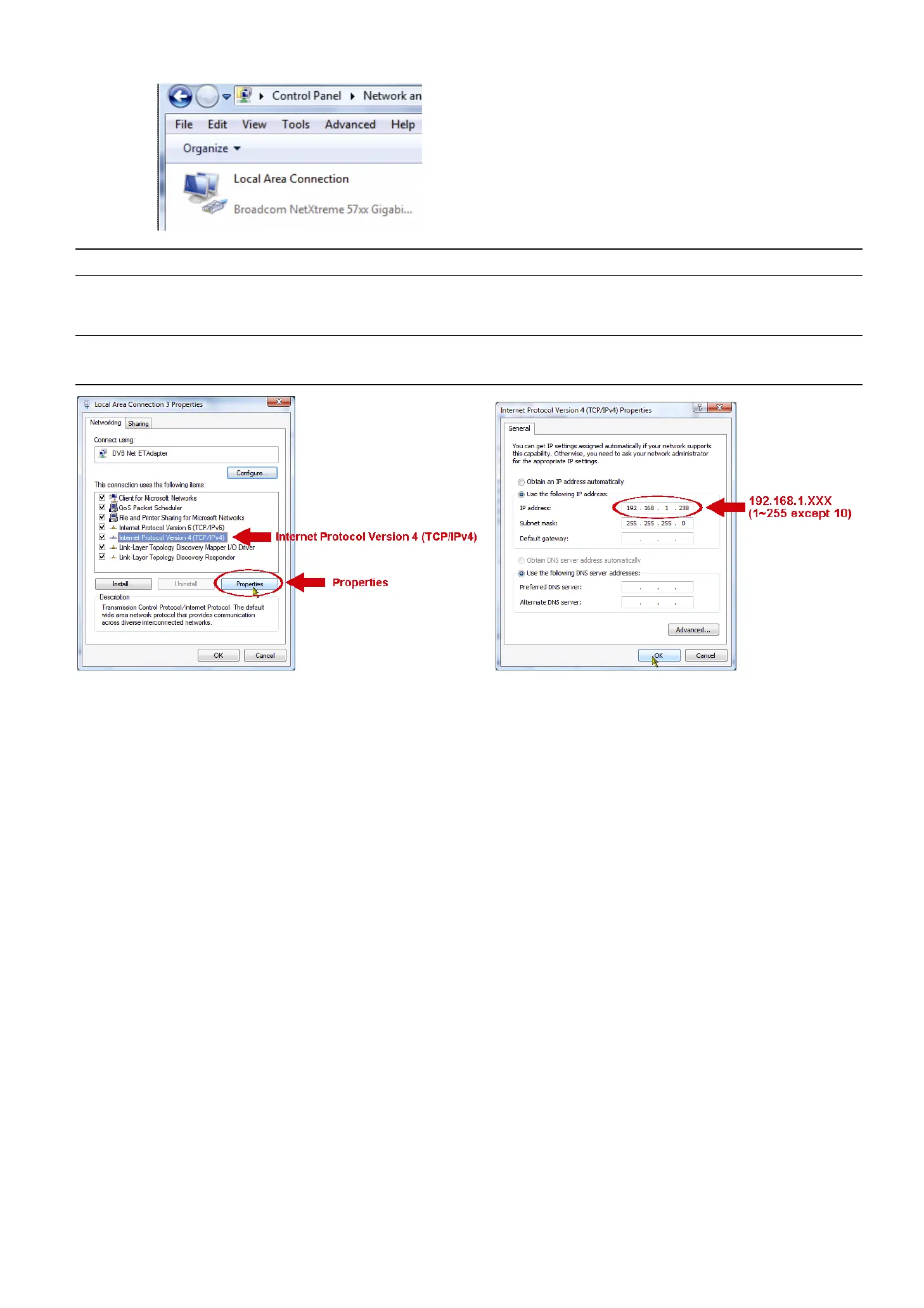
b) Right-click on “Local Area Connection”, and select “Properties”.
Note: If your local area connection is not enabled, please also enable it.
c) In the “Networking” tab, select “Internet Protocol Version 4 (TCP/IPv4)”, and select “Properties”.
d) In the “General” tab, select “Use the following IP address”, and set the IP address as described below.
Note: It’s recommended to note down the current settings first and then change as instructed. It’s
helpful when you need to restore the PC network settings for connecting to Internet later.
e) Click “OK” to close the “Internet Protocol Version 4 (TCP/IPv4) Properties” dialog box. Then, click “Close”
to close the “Local Area Connection Properties” dialog box.



 To Next Page