
EasyManua.ls Logo

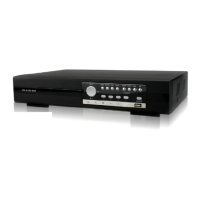
Avtech KPD673 - User Manual

Avtech KPD673
38 pages
Print Icon
To Next Page IconTo Next Page
Loading...
KD673_672_671_670_manual_
1.1
DIGITAL VIDEO RECORDER
USER MANUAL
Please read instructions thoroughly before operation and retain it for future reference.

Questions and Answers

  • J
    johnsonkristinAug 13, 2025
    Why is there no live video on my Avtech DVR?
    • R
      richmatthewAug 13, 2025
      If your Avtech DVR shows no live video, first ensure the camera is receiving power. Then, inspect the camera lens settings, the monitor's video cable and connection, and the camera's video cable and connection.
  • S
    Sandra MillerAug 16, 2025
    What to do if my Avtech DVR has no recorded video?
    • V
      Vanessa MoodyAug 16, 2025
      If your Avtech DVR is not recording video, verify that the HDD is properly installed and connected. Also, make sure that both the “MANUAL RECORD ENABLE” option and the record function in the “CAMERA” menu are set to “ON”.
  • S
    Shannon ThompsonAug 20, 2025
    How to troubleshoot no power on Avtech DVR?
    • A
      Alicia Evans DVMAug 20, 2025
      If your Avtech DVR has no power, start by checking the power cord connection. Then, confirm that the outlet is supplying power.
  • S
    Suzanne JohnsonAug 25, 2025
    What to do if Avtech KPD673 is not working when pressing any button?
    • J
      James HessAug 25, 2025
      If your Avtech DVR is unresponsive to button presses, it might be in "Key Lock" mode. To exit, press any key and enter the password.
  • L
    Lisa MoralesAug 28, 2025
    What to do if Avtech KPD673 DVR HDD detection failed?
    • D
      Diane KellyAug 28, 2025
      If your Avtech DVR fails to detect the HDD, try replacing it with another HDD for testing. If the issue persists, replace the HDD cable with another one for testing.
  • J
    Joseph RobinsonSep 1, 2025
    Why is timer recording not working on my Avtech KPD673?
    • J
      Julie RoseSep 1, 2025
      If timer recording is not working on your Avtech DVR, ensure that the “TIMER RECORD ENABLE” option is set to “ON” and that a timer schedule has been arranged.
  • C
    Crystal GravesSep 4, 2025
    Why is motion detection recording not working on my Avtech KPD673 DVR?
    • B
      Brendan MillerSep 5, 2025
      If motion detection recording is not working on your Avtech DVR, verify that the “EVENT RECORD ENABLE” option is set to “ON” and that the detection function “DET” is also set to “ON”.
  • B
    Brian WhitneySep 8, 2025
    What to do if Avtech DVR can’t detect your USB flash drive?
    • Q
      qdeanSep 8, 2025
      If your Avtech DVR can’t detect your USB flash drive, try replacing it with another one for testing. If that doesn’t work, format the USB flash drive as FAT32 and try again.

Avtech KPD673 Specifications

General IconGeneral
Storage TypeHDD
Power SupplyDC 12V
Audio Output1 channel
Mobile SurveillanceYes
PTZ ControlYes
Operating SystemEmbedded Linux
CompressionH.264
USB Interface2 USB 2.0
Network InterfaceEthernet
Hard Drive Support1
NetworkTCP/IP
Mobile SupportiOS, Android
Video Input4/8/16 channels
Video OutputHDMI / VGA
Recording Frame Rate25fps/30fps
Audio Input1 channel
Recording Speed25fps/30fps
Channels4/8/16

Related product manuals




