- 11 -
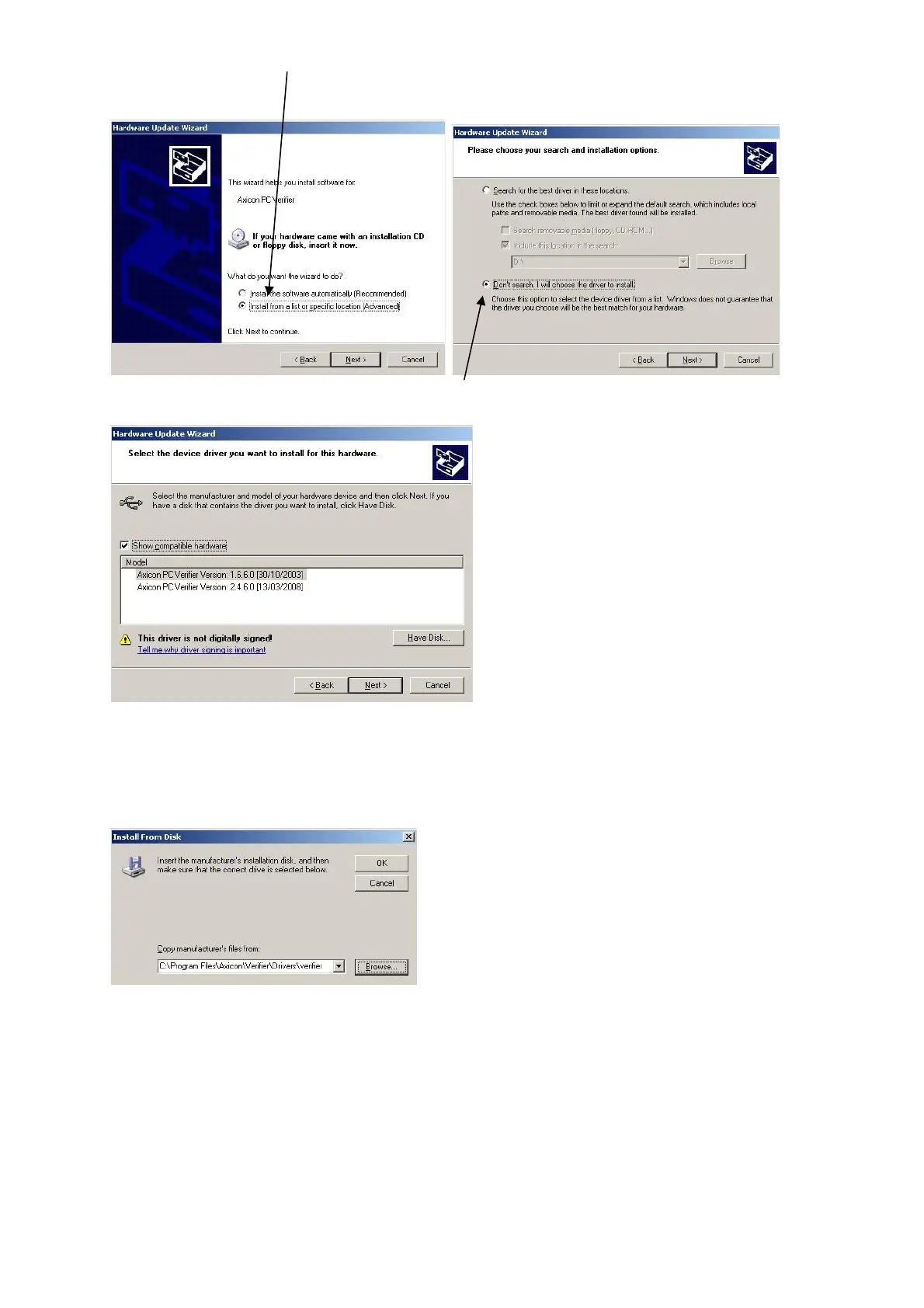
Now choose the “Advanced” option to install from a list or specific
location and then click the “Next” button.
On this screen choose the 'Don't Search' option and again click on Next.
If any previous versions of the drivers have been installed, then you may
see them listed as shown above, however, at this point click on the Have
Disk button which will open the following dialogue.
If the default installation location was chosen when the Axicon Verifier
software was installed, then the appropriate driver files will have been
copied to the location shown in the dialogue above.
Browse to this location, or to the equivalent location if the default was
not chosen and then OK this dialogue.



 To Next Page