- 19 -
accuracy – this screen will show the accuracy of the bar/space dimensions
and highlight any problem areas.
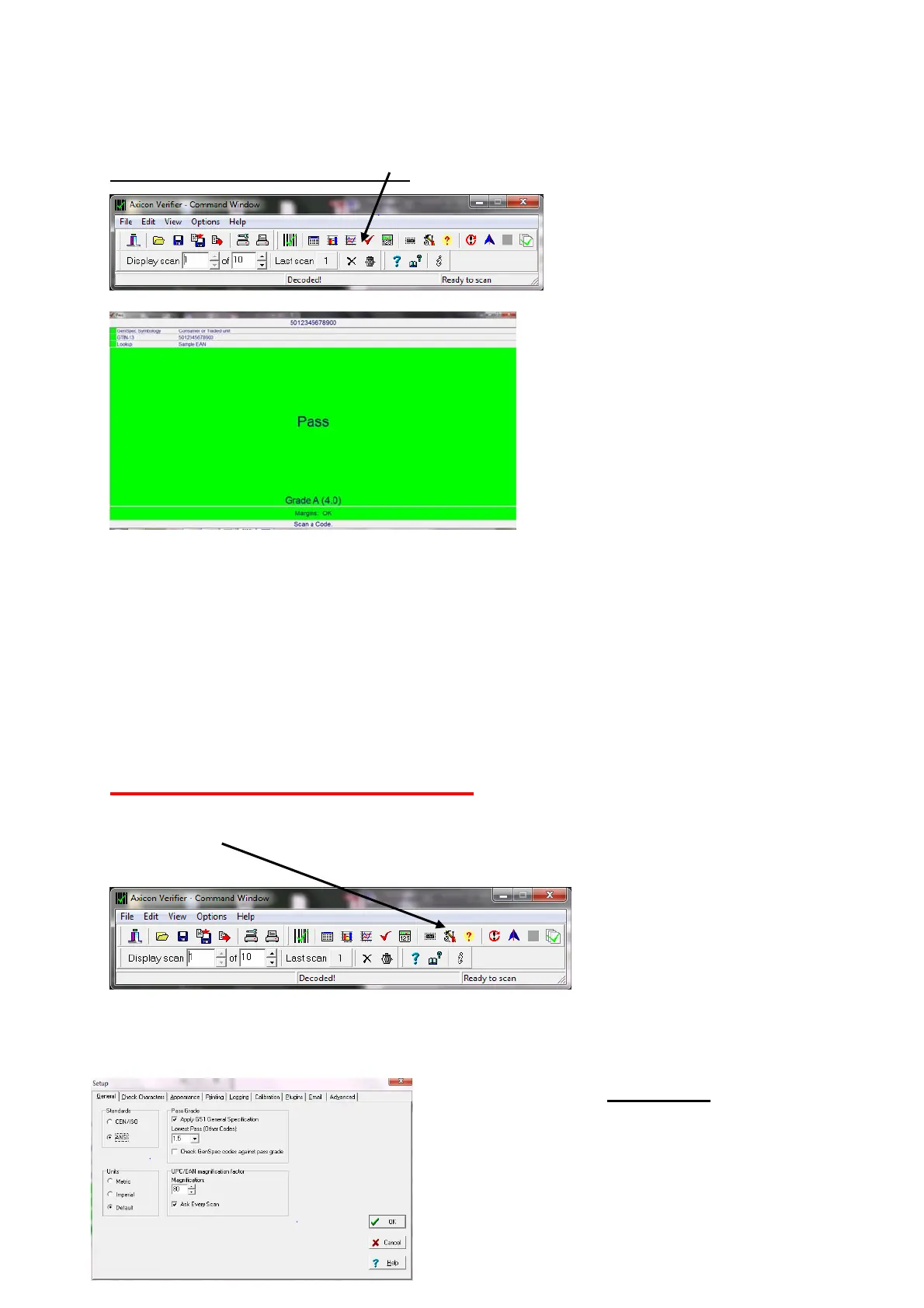
The Pass/Fail Screen…. Press
to get:-
This screen is ideal for users
who need a quick visual
indication of whether the
barcode meets the right print
quality standards.
FIXING THE SCREENS:- Most of the screens described above can be moved,
expanded or shrunk as required. When you have decided which screens
you want displayed on your PC just use the “View” pull-down menu and
click on “Save positions”. Then whenever the software is started it will
always have those screens in those positions.
CONFIGURING THE VERIFIER
All of the primary configuration of the verifier is done through the “Set-
up” icon
Press this to enter the “Set-Up” dialogue.
There are a range of tabs to cover the different groups of parameters.
Here is shown the “General”
group
Standards: Click on “ISO” if you want
only the numeric ISO result to be shown –



 To Next Page