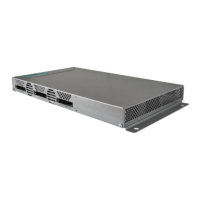
Operation instructions | MK 8-00 | MK 16-00 | MK 8-06 | MK 16-06
2 2018-10-05 | Technical improvements, changes in design, printing- and other errors expected.
Table of contents
1. Product description ......................................................................................................................................................... 4
1.1. General .................................................................................................................................................................. 4
1.2. Scope of delivery ................................................................................................................................................... 4
1.3. Inputs/multituner ................................................................................................................................................... 5
1.4. Output/modulators ................................................................................................................................................ 6
1.5. Graphical user interface ......................................................................................................................................... 6
1.6. SMARTPortal ......................................................................................................................................................... 6
1.7. Display elements and connectors .......................................................................................................................... 7
1.7.1. MK 8/16-0x................................................................................................................................................... 7
1.7.2. MK 8-06/16-06 ............................................................................................................................................. 7
2. Mounting and Installation............................................................................................................................................... 8
2.1. Wall mounting ....................................................................................................................................................... 8
2.2. Mounting in a 19“ rack ......................................................................................................................................... 9
2.3. Equipotential bonding ........................................................................................................................................... 9
2.4. Power supply ......................................................................................................................................................... 9
2.5. RF Installation ...................................................................................................................................................... 10
2.5.1. Connection to DVB-T/T2 or DVB-C.............................................................................................................. 10
2.5.2. Connection to DVB-S/S2/S2x ...................................................................................................................... 10
2.5.3. Output ........................................................................................................................................................ 10
2.6. Connection to the Internet................................................................................................................................... 11
3. Configuration ................................................................................................................................................................ 13
3.1. Login and logout ................................................................................................................................................. 14
3.2. Front page ........................................................................................................................................................... 15
3.2.1. Input ........................................................................................................................................................... 15
3.2.2. Outputs ...................................................................................................................................................... 15
3.3. Initialization phase 1 ........................................................................................................................................... 16
3.3.1. DVB-S/S2/S2x ............................................................................................................................................. 16
3.3.2. DVB-C, DVB-T or DVB-T2 ............................................................................................................................ 17
3.3.3. Bit error rate ............................................................................................................................................... 18
3.3.4. Found programmes .................................................................................................................................... 18
3.4. Initialization phase 2 ........................................................................................................................................... 18
3.4.1. Remux mode .............................................................................................................................................. 19
3.4.2. Cross Multiplex Mode ................................................................................................................................ 20
3.4.3. Select all programs ..................................................................................................................................... 22
3.4.4. LCN (Logical Channel Numbering).............................................................................................................. 23
3.4.5. PID Filtering (with MKS 1-01) ..................................................................................................................... 24
3.5. Initialization phase 3 – DVB-C ............................................................................................................................. 25
3.5.1. Configuration of the modulator .................................................................................................................. 25
3.5.2. Fill level ...................................................................................................................................................... 26
3.5.3. Selected Programmes ................................................................................................................................. 26
3.6. Initialization phase 3 – DVB-T ............................................................................................................................. 27
3.6.1. Configuration of the modulator .................................................................................................................. 27
3.6.2. Fill level ...................................................................................................................................................... 28
3.6.3. Selected Programmes ................................................................................................................................. 29
3.7. Ma intenance ........................................................................................................................................................ 30
3.7.1. Updating software ...................................................................................................................................... 30
3.7.2. Modulation standard .................................................................................................................................. 31
3.7.3. Changing the IP address ............................................................................................................................. 32
3.7.4. Changing the password .............................................................................................................................. 33
3.7.5. Rebooting ................................................................................................................................................... 34
3.7.6. Erasing service data.................................................................................................................................... 34
3.7.7. Save Initialization Data............................................................................................................................... 34
3.7.8. Upload Initialization Data........................................................................................................................... 35
3.7.9. Device name ............................................................................................................................................... 35
3.7.10. Access to SMARTPortal .............................................................................................................................. 36
3.7.11. Log files ...................................................................................................................................................... 36
3.7.12. Channel list for all devices .......................................................................................................................... 37
3.7.13. Network Information Table (NIT) ................................................................................................................ 37
4. Use of CA modules........................................................................................................................................................ 42
4.1. Insertion of CA modules ...................................................................................................................................... 42
4.2. CI menu for SKM 4x-04M .................................................................................................................................... 42
4.2.1. Using CI menu ............................................................................................................................................ 42
4.3. Decryption of programmes .................................................................................................................................. 43
5. Technical specifications................................................................................................................................................. 44


 To Next Page