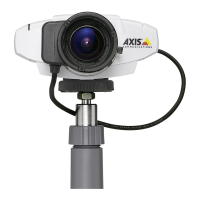
PRODUCT REVIEW GUIDE AXIS 211A Network Camera
TABLE OF CONTENTS
1 PRODUCT BRIEF ..........................................................................................3
2 REQUIREMENTS FOR TEST......................................................................4
3 INSTALLATION.............................................................................................5
3.1 Installing the AXIS 211A ................................................................................5
3.2 Set the IP address with AXIS IP Utility.........................................................5
3.2.1 Automatic camera detection in AXIS IP Utility 5
3.2.2 Set the IP address manually in AXIS IP Utility 6
3.3 Accessing the AXIS 211A................................................................................6
3.4 Administrator Password .................................................................................6
3.5 Focusing the AXIS 211A ................................................................................. 7
3.6 The user interface ............................................................................................8
3.7 Audio controls for AXIS 211A........................................................................9
3.8 Publish images from the network camera on the Internet...........................9
4 RESET TO FACTORY DEFAULT............................................................. 10
5 ABOUT AXIS.................................................................................................10
6 ADDITIONAL INFORMATION AND CONTACTS................................11
Axis Communications Last updated: May 1, 2005
2



 To Next Page