
EasyManua.ls Logo

Axis 211W - User Manual

Axis 211W
52 pages
Print Icon
To Next Page IconTo Next Page
Loading...
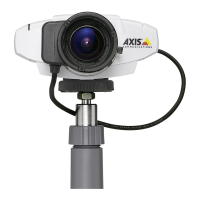
AXIS 211W
Network Camera
User’s Manual

Other manuals for Axis 211W

Questions and Answers

  • P
    Pamela JohnsonAug 8, 2025
    What to do if the Axis 211W's Status LED is flashing red indicating a failed upgrade?
    • B
      Brian WarnerAug 9, 2025
      If the Status LED on your AXIS 211W is flashing red, it indicates a failed upgrade. To resolve this, connect the AXIS 211W to the network and follow the recovery steps.
  • M
    Mrs. Mary ButlerAug 23, 2025
    What to do if my Axis 211W is unresponsive after a firmware upgrade?
    • J
      jeffrey66Aug 23, 2025
      If your Axis Security Camera becomes unresponsive after a firmware upgrade, it might be due to a power loss during the upgrade. In this case, you should follow the steps outlined in the Emergency Recovery Procedure to restore the device.

Axis 211W Specifications

General IconGeneral
Camera TypeNetwork Camera
Resolution640x480 (VGA)
Frame Rate30 fps
Power over EthernetNo
Wireless ConnectivityIEEE 802.11b/g
Video CompressionMotion JPEG
Audio SupportTwo-way audio
Power Supply5 V DC
ProtocolsHTTP, FTP, DNS
SecurityPassword protection, HTTPS encryption
Operating Conditions0 °C to 50 °C
Field of View54° horizontal viewing angle

Related product manuals



