8
AXIS 216FD/FD-V/MFD/MFD-V - Product overview
Overview
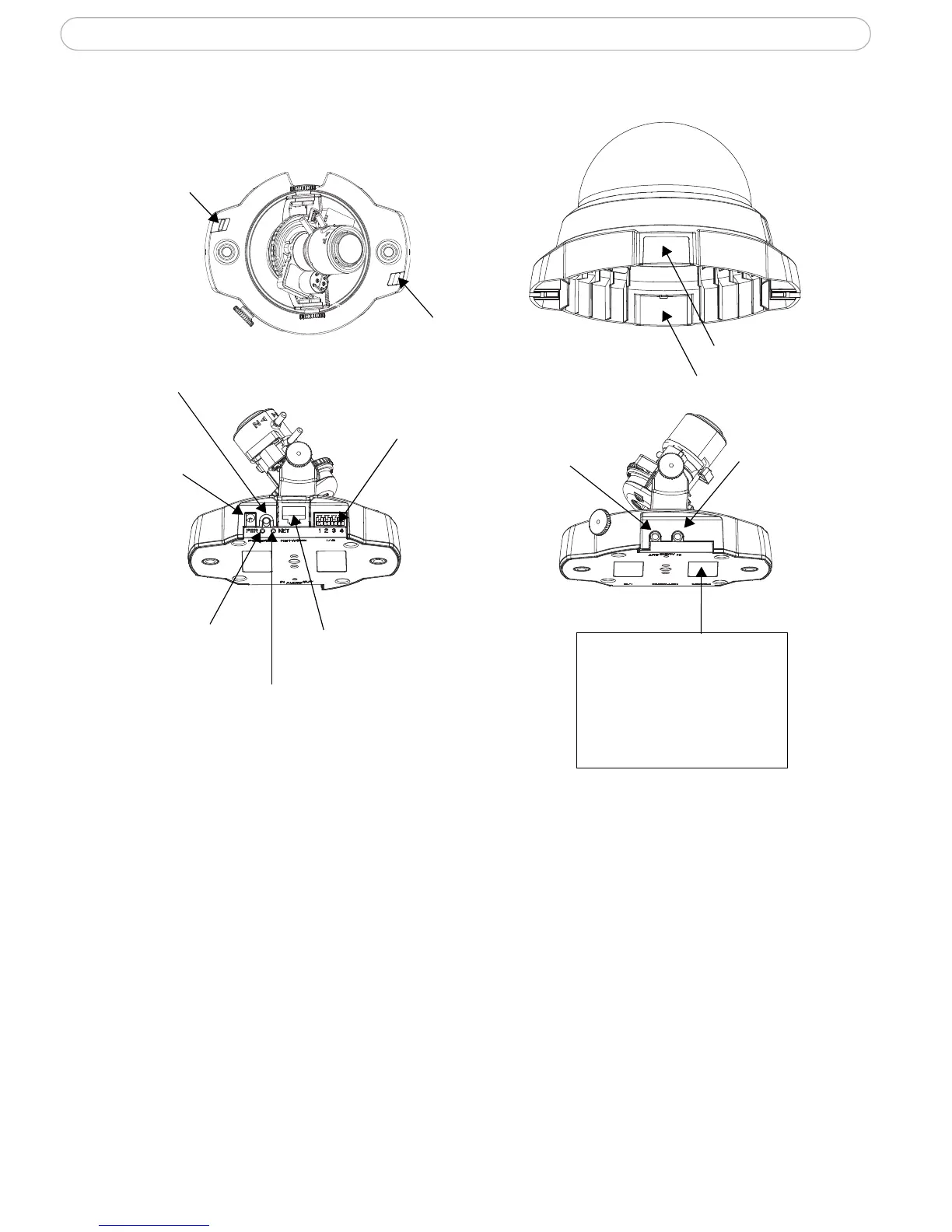
Microphone - Built-in microphone. This can be disabled by inserting a plug in the 'Audio
in' connector.
Power Connector - For connection of the PS-H power adapter (included).
I/O Connector - The I/O terminal connector provides the physical interface to one
transistor output, one digital input and an auxiliary connection point for DC power. For
more information, see
The I/O Terminal Connector, on page 47.
Network Connector - The camera connects to the network via a standard network
connector. Supporting NWAY, the camera detects the speed of the local network segment
(10BaseT/100BaseTX Ethernet). Supporting PoE (Power over Ethernet), the camera can be
powered directly from the network cabling.



 To Next Page