17
AXIS 225FD - Video and Image Settings
Video and Image Settings
The following descriptions show examples of some of the features available in the
AXIS 225FD. For details of each setting, please refer
to the online help available from the
setup tools. Click
to access the online help.
Image Settings
Image Appearance
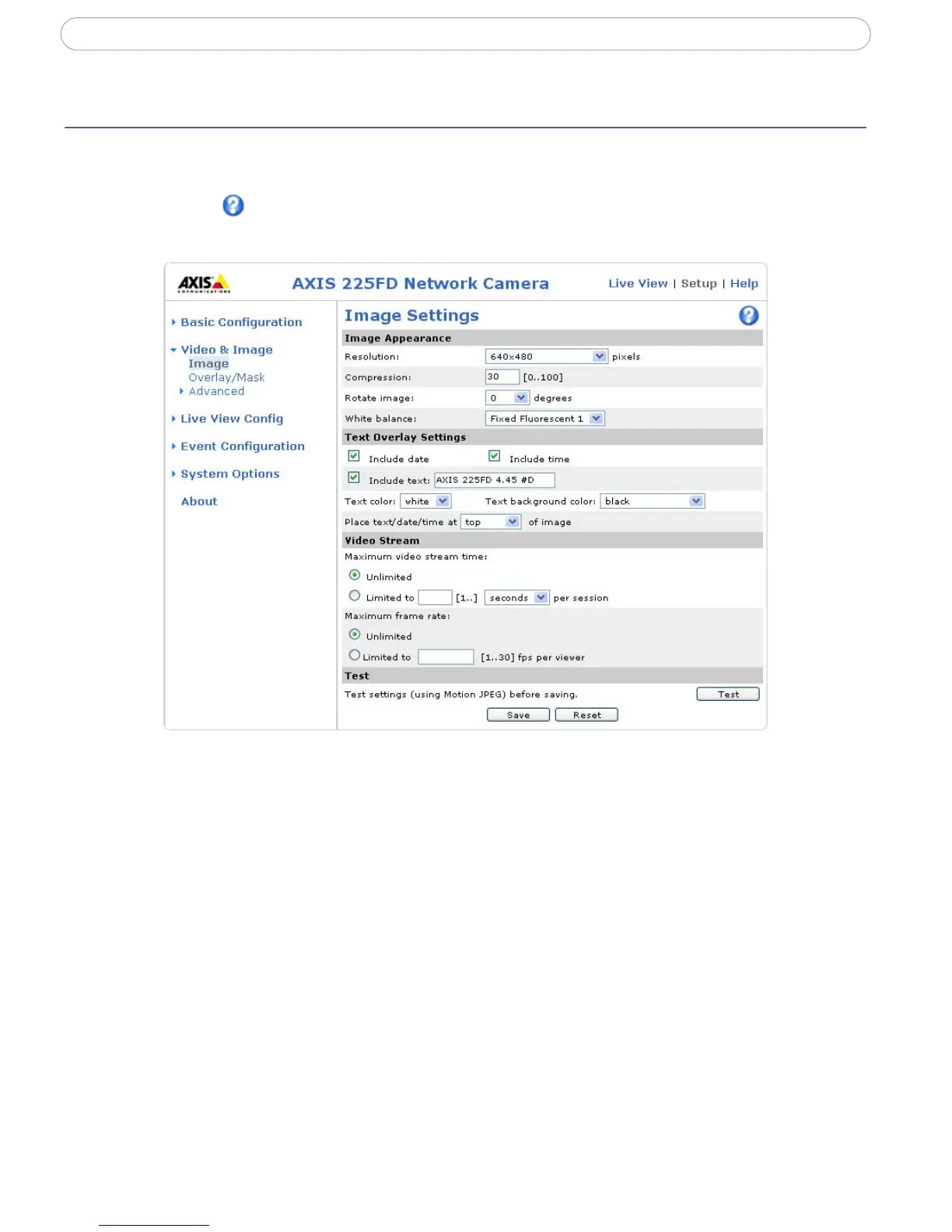
Adjust these settings to optimize the video images according to your requirements.
All configuration of images and overlays will affect the cam
era’s overall performance,
depending on how it is used and on the available bandwidth. Lower compression improves
video image quality, but increases the bandwidth.
The video image can be rotated and fine-tuned by adjusting the color level, the bri
ghtness,
sharpness and the contrast. Please see the online help for further information on these
settings.
Changed video image settings have immediate effect on the MPEG-4
stream, but the
Motion JPEG stream will have to be started (or restarted) before the settings take effect.



 To Next Page