11
Call an Axis or 2N Intercom
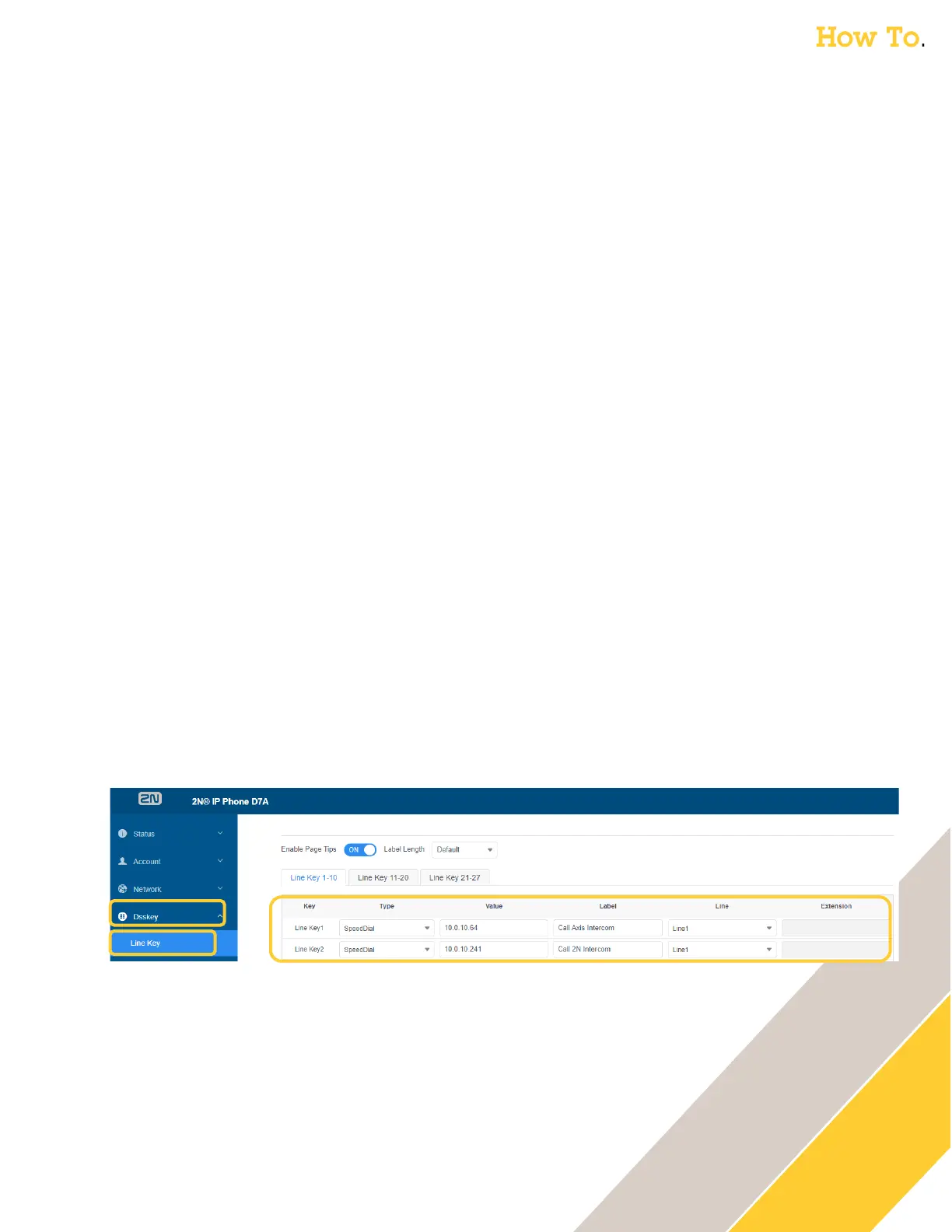
The following steps are performed in the web GUI of the 2N D7A Phone
1. Click on Dsskey then Line Key
2. Set the key type
o Type = Speed Dial
3. The value is IP of the (Axis or 2N) intercom
o Axis Intercom:
Value = <IP_of_Axis_Intercom>
Confirm incoming calls are allowed in the Axis Intercom. In the Axis Intercom GUI under
Communication then SIP then the SIP Settings tab. Verify Allow Incoming Calls has a check
next to it. Under the SIP Accounts tab, you can edit the peer-to-peer account to see if
Answer Automatically has a check next to it.
o 2N Intercom:
Value = <IP_of_2N_Intercom>
Confirm incoming calls are allowed in the Intercom. In the 2N Intercom GUI under
Services then Phone then the Calls tab, verify the Incoming Calls, Call Answering Mode
setting.
4. Create a descriptive label
o Example: Label = Call Intercom
5. Set the Line to be used
o Line = Line1
6. Click Confirm



 To Next Page