6
Set the Date & Time
The following steps are completed through the phone’s web GUI via your computer’s browser
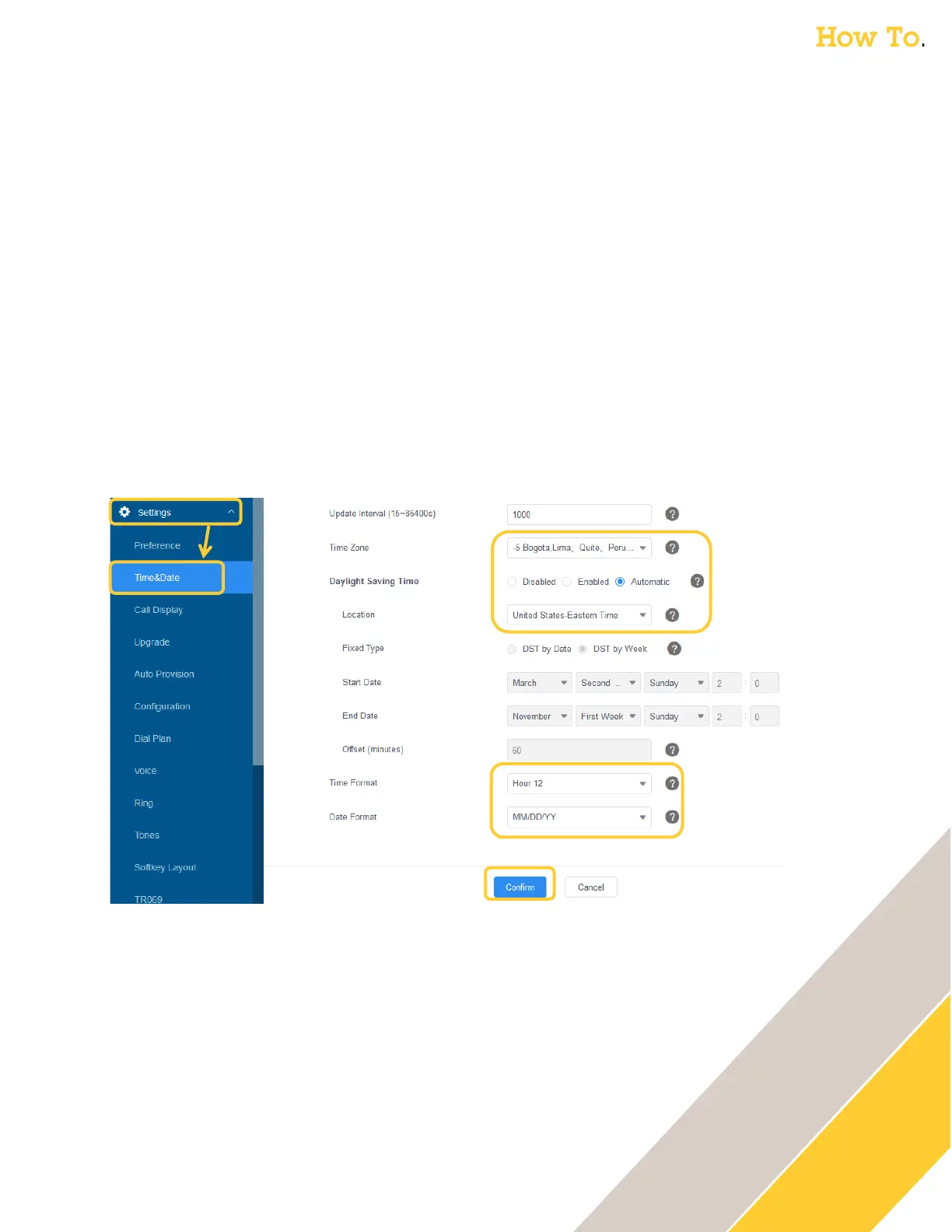
1. Go under Settings → Time&Date
2. Adjust the Time Zone drop down from +1 to the appropriate zone
o For example if in New York, change it to:
▪ -5 Bogota, Lima, Quito, Peru, Indiana, Bahamas, Canada, Cuba, US-Eastern Time
3. Verify / update the Daylight Saving Time & Location
4. Adjust the Time Format to your preference
o For example change the default Hour 24 to Hour 12
5. Adjust the Date Format to your preference
o For example change the default DD/MM/YYY to MM/DD/YY
6. Click Confirm



 To Next Page