7
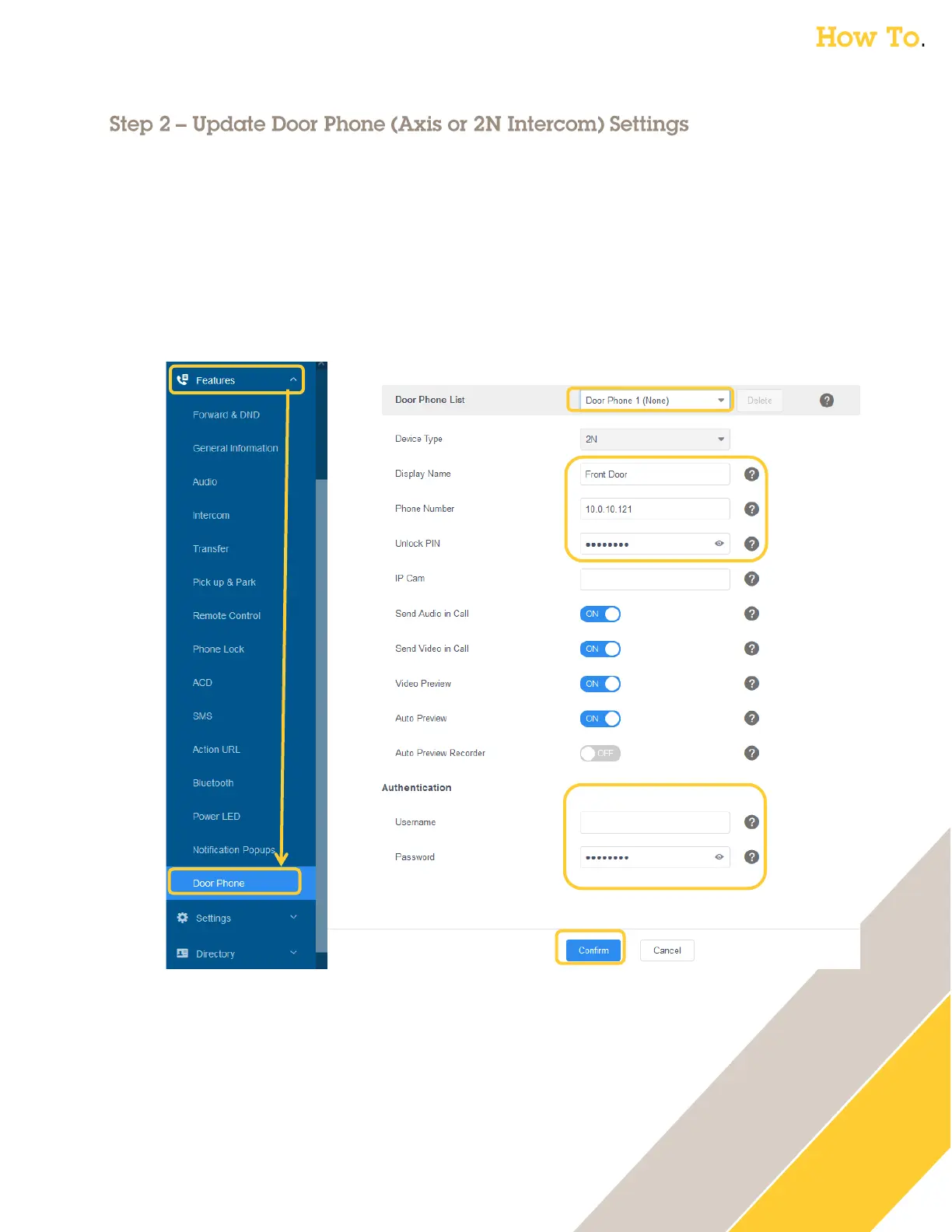
The following steps are completed through the D7A phone’s web GUI via your computer’s browser
1. Go under Features → Door Phone
2. Verify Door Phone List has Door Phone 1 selected
3. Update Display Name with the name or location of your Axis or 2N Intercom
o For example: Front Door
4. Update Phone Number with the IP Address of the Axis or 2N Intercom
5. Update Unlock Pin with the DTMF sequence the intercom uses to unlock the door



 To Next Page