4
Cable Connections
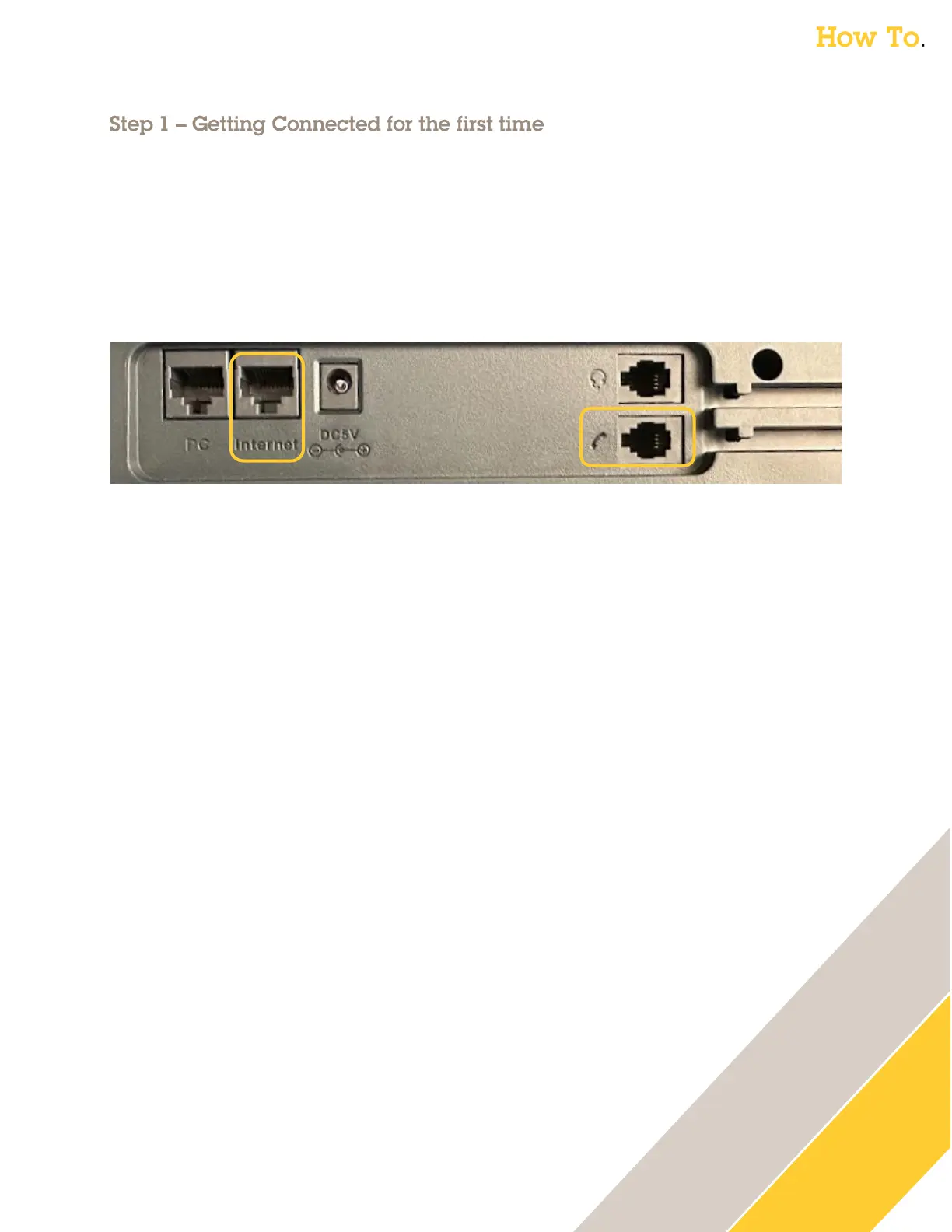
1. Connect the handset cable to the handset & the Handset port on the back of the phone.
2. Connect the Network cable to your network and to the Internet port on the back of the
phone (this supports POE). Not required if using WiFi.
3. If not using POE or if using WIFI also connect a power supply to the back of the phone and
the power outlet.
Wi-Fi (optional)
1. On the phone’s touch screen drag down from the top to show the menu
2. Press the Settings icon
3. Scroll until you see the section Basic Settings click on Wi-Fi
4. Enable Wi-Fi
5. Select your Wireless Network (SSID) and enter your password
6. Press Connect
Find the IP Address
The phone is set to DHCP by default and should pull an IP Address if your network supports this.
1. On the phone’s touch screen drag down from the top to show the menu.
2. Press on the Settings icon
3. In the section Status click on Network then IPv4 Status.
4. This will reveal the WAN IP. Make note of this for the next step.



 To Next Page