button to select the function item, press / OK button to enter
Basic Operation
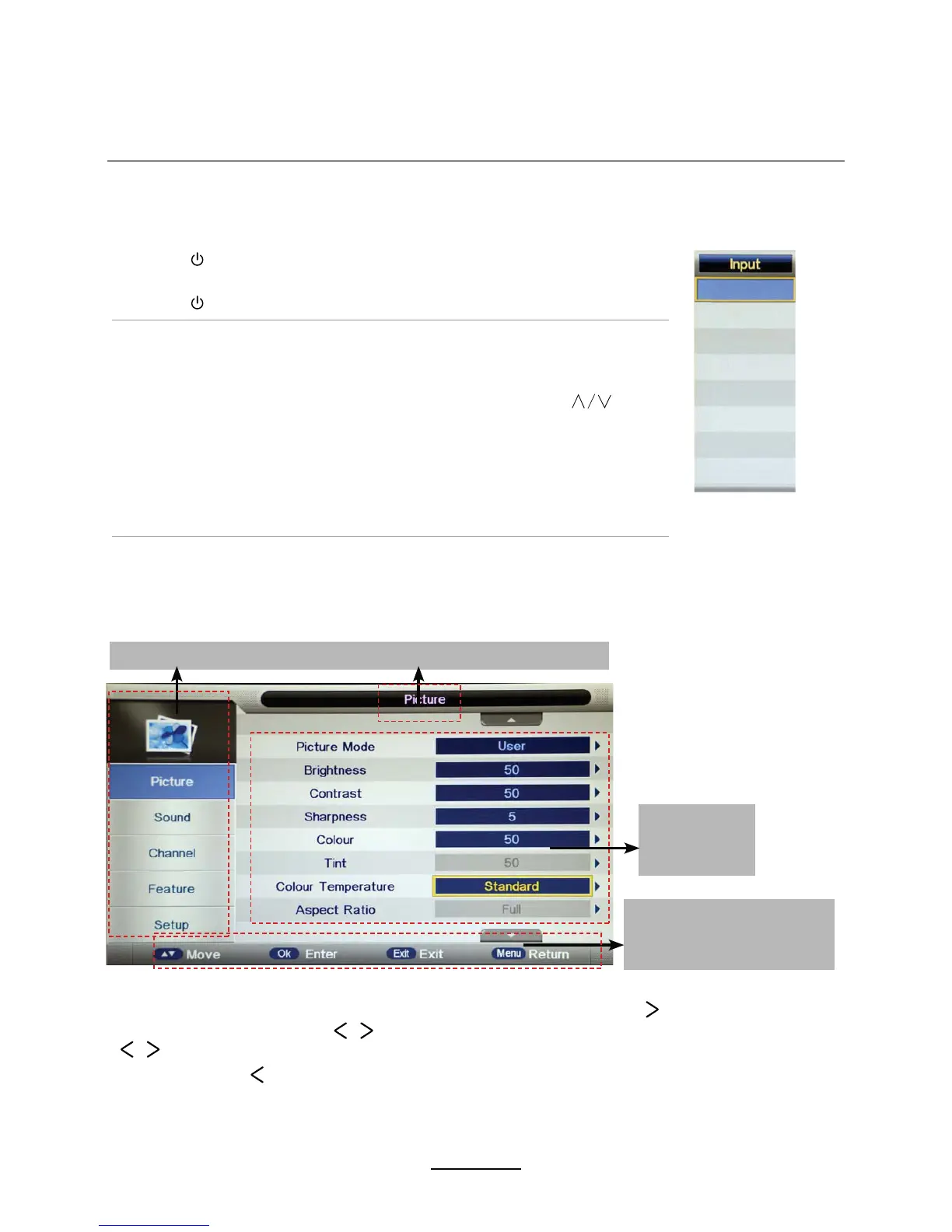
Main menu: Picture Sound Channel Feature Setup
Submenu
(Picture menu
for example)
Basic OSD Menu operation
PressMENUbutton to display the OQSFUHHQDLVSOD\ menu as below:
Use /
∨
button to select the main menu, and press / OK button to enter the submenu.
In the submenu, use
the setup menu, then press / button to adjust, or press / to select and press OK /
/ button to confirm.
∧
/
∨
∧∨
∧∨
* (Press MENU / button to return to the upper menu.)
* (Press EXIT button to exit the menu display.)
Note1: 7he relevant items can RQO\be activatedDIWHU\RXLQSXWWKHPDWFKLQJVLJQDO
Note2: Please operatHthe OSD menu according to WKHPHVVDJHGLVSOD\HG.
Hint---2perate the OSD
menu according to the
PHVVDJHVKRZQ.
Power on/off
1. Connect to the power supply with an adaptor.
2. -To turn on the TV
Press button on the TV or remote control.
-To turn off the TV
Press button on the TV or remote control.
Input Source select
Press SOURCE button on the TV set or remote control to display the
input source menu, and use CH+/- button on the TV set or
button
on remote control to select the input source
3ress OK button on theremote control to enter.
Note: Before you select the input source, make sure the
connections DQGPHGLDare prepared.
DTV
AV
YPBPR
ATV
PC
HDMI
Media
DVD


 To Next Page