OSD Menu
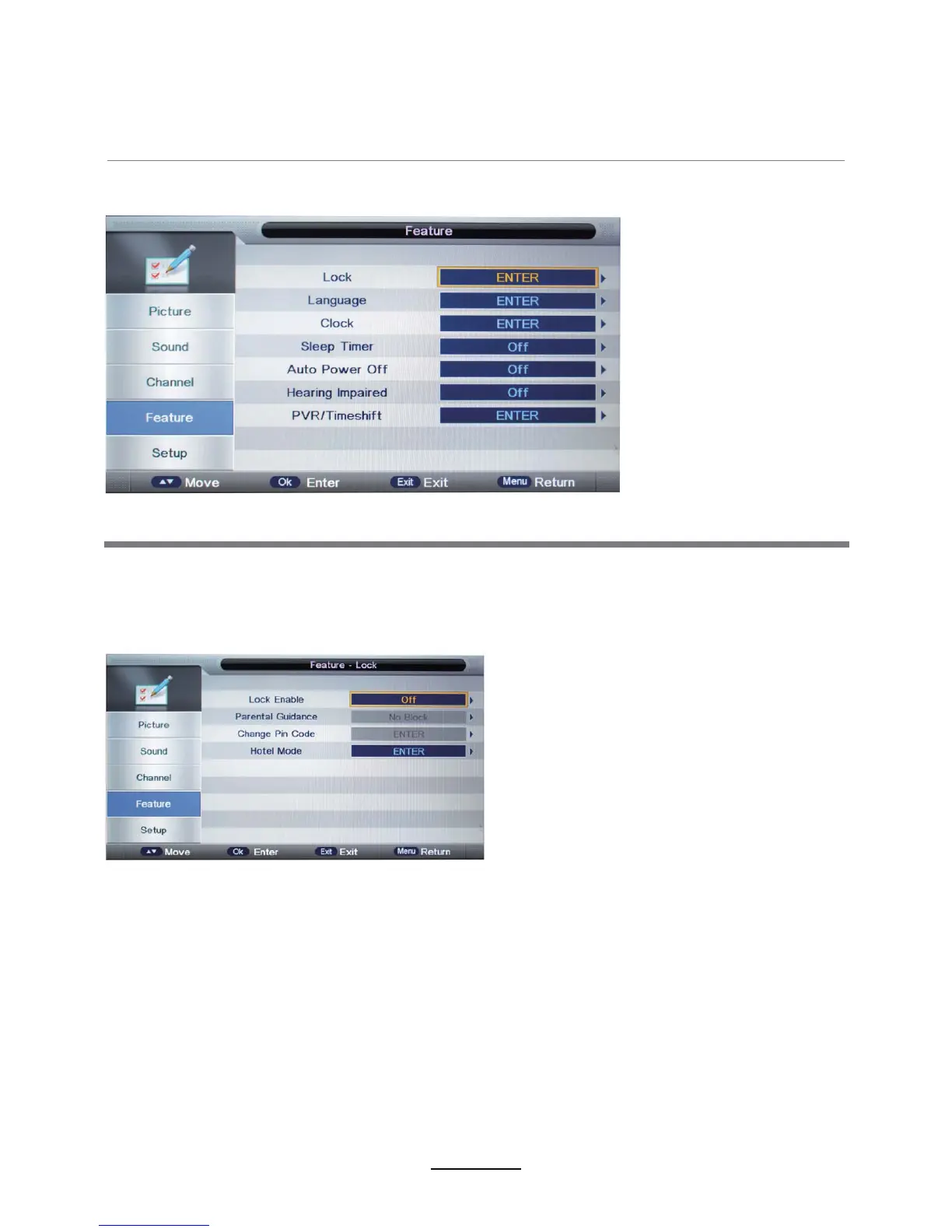
4. Feature menu
Description
Lock:This menu allows you to lock certain features of the television so that they can not be used
or viewed. For examplecertainchannels VKRXOGQRWEHviewed by children or if the televisionis to
be used in a hotel and you want certain channels locked.
When enterLQJ the system lock menu you will be asked for a password. As default it is
.
Lock Enable - Turn on/off the Lock Channel function.
Note:
When it is be turned on, the functions of Parental Guidance and Change Pin code
below will be locked, and the functions Lock(in Channel Management), Auto Search, DTV
Manual Search, ATV manual Search in Channel menu will also be locked.
Parental Guidance - Select the Parental Guidance mode, or turn off the function.Change
Pin Code – Press OK button to enter)irst enter the current code, then enter your new
code and confirm WKLV new code.
1



 To Next Page