OSD Menu
1
Language: 7R adjust the different language options available.
Clock:7o set the time zone
$s default the information is automaticallyGUDZQ from the digital signal).
Sleep Timer: 7R set the sleep timer so the television automatically switches off after a VHOHFWHG
timeSHULRG
Auto Power Off: The TV will switch off automatically if no change in status within the time
selectHG. &hoose 1H, 2H, 4H oroff.
Hearing Impaired:7he hearing impaired feature provides additional information and subtitles
PVR/Timeshift: Setup menu for recordinJ3lease see the Recording Operation section.
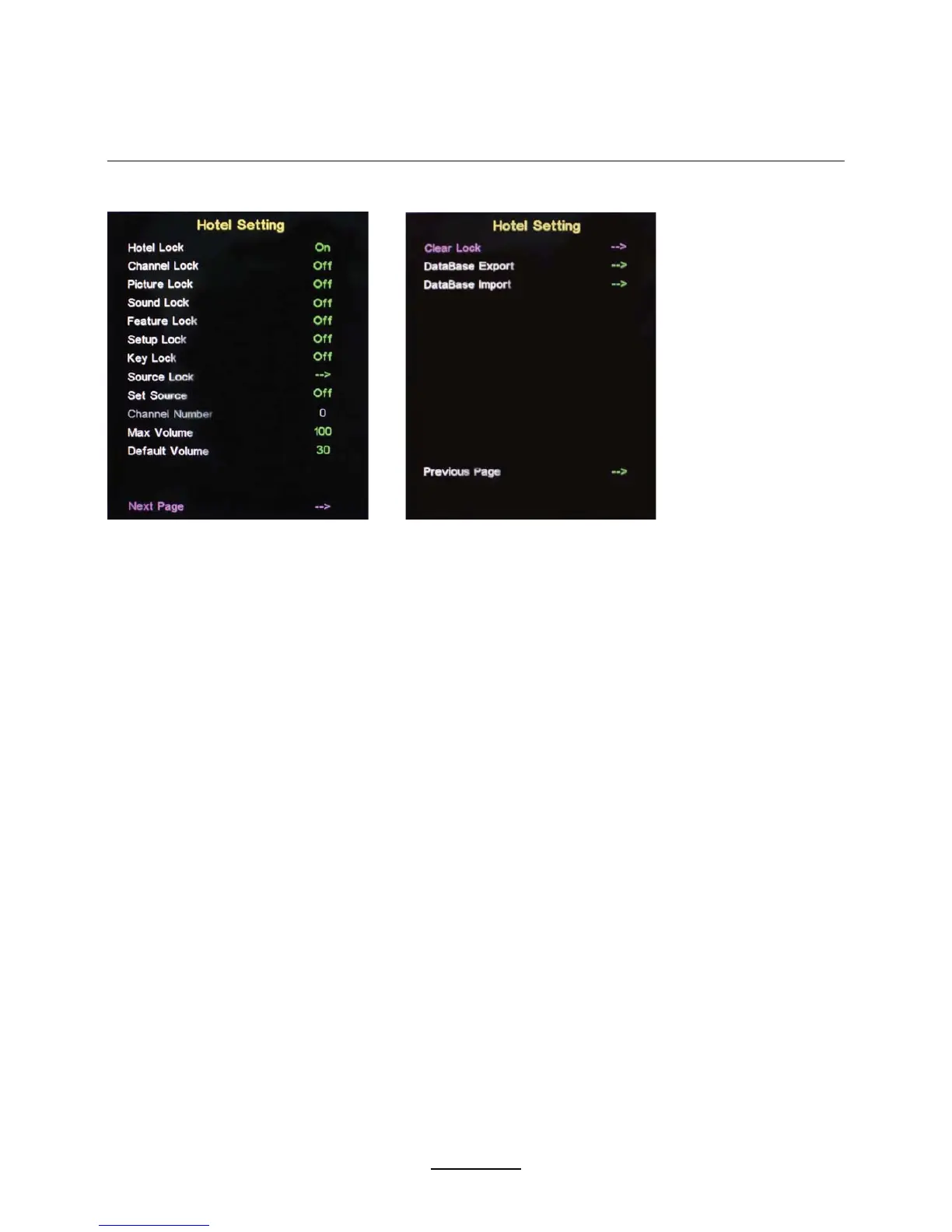
Hotel Mode - Enter the Hotel Setting menu.
Hotel Lock: Turn on/off the Hotel Lock function.
Channel Lock: Disable the Channel menu in OSD.
Picture Lock: Disable the Picture menu in OSD.
Sound Lock: Disable the Sound menu in OSD.
Feature Lock: Disable the Feature menu in OSD.
Setup Lock: Disable the Setup menu in OSD.
Key Lock: Disable the buttons on the TV set.
Source Lock: Disable the input source desired.
Set Source: Select the default source when the TVLVWXUQHGRQ.
Channel Number: Select the default channel number when the TVLVWXUQHGRQ.
Max Volume: Set the MaxLPXP volume for the TV.
Default Volume: Set the default volume when the program is on.
Clear Lock: Clear all the locks above$ll the locks ZLOOEHVHWto OFF and max volume to 100.
Database Export: Export all Hotel Settings to the USB device.
Database Import: Import all Hotel Settings from the USB device.



 To Next Page