Overview
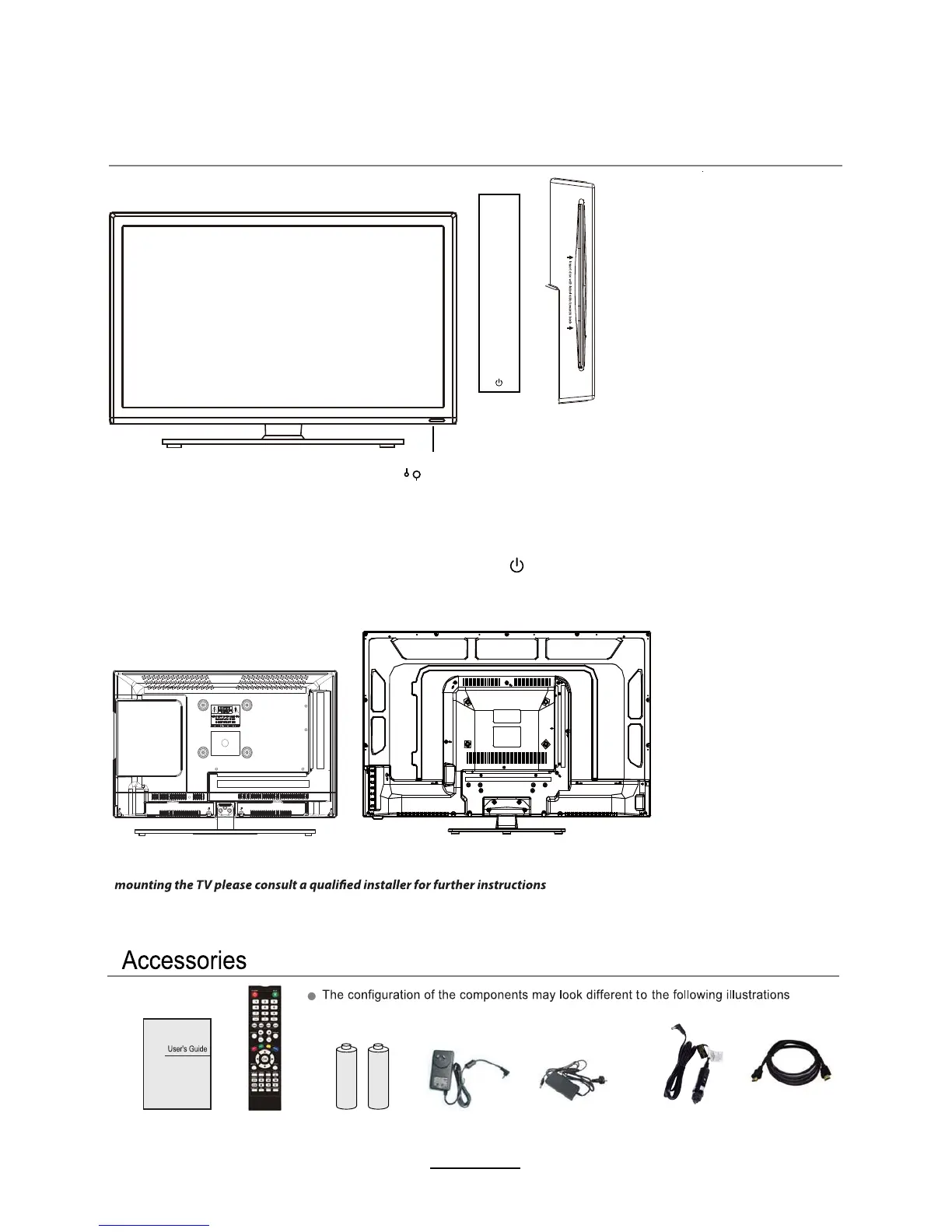
Front View
INPUT6285&(:
MENU:Display/exit the OSD menu.
CH+/-: Scan through channels.
VOL+/-:Adjust the volume.
PLAY:Play / Pause the disc
EJECT:Eject the disc.
Display input source menu.
: Turn on/standby the TV set.
Please insert a 12cm disc ZLWKWKHODEHO
WRWKHEDFN
Remote Control Sensor
(keep clear)
LED Indicator
SOURCE
MENU
CH+
CH-
VOL+
VOL-
EJECT
PLAY
&DELQHW
User’s Guide
Remote Control
Batteries (2xAAA)
Power Adaptor
(AX -1522 / AX -1519)
Power Adaptor
(AX -1432)
HDMI cablHCar adaptor
$;$;
$;
The screws in the package are for securing the TV stand only. If you are
on bracket support and wall support.


 To Next Page