16
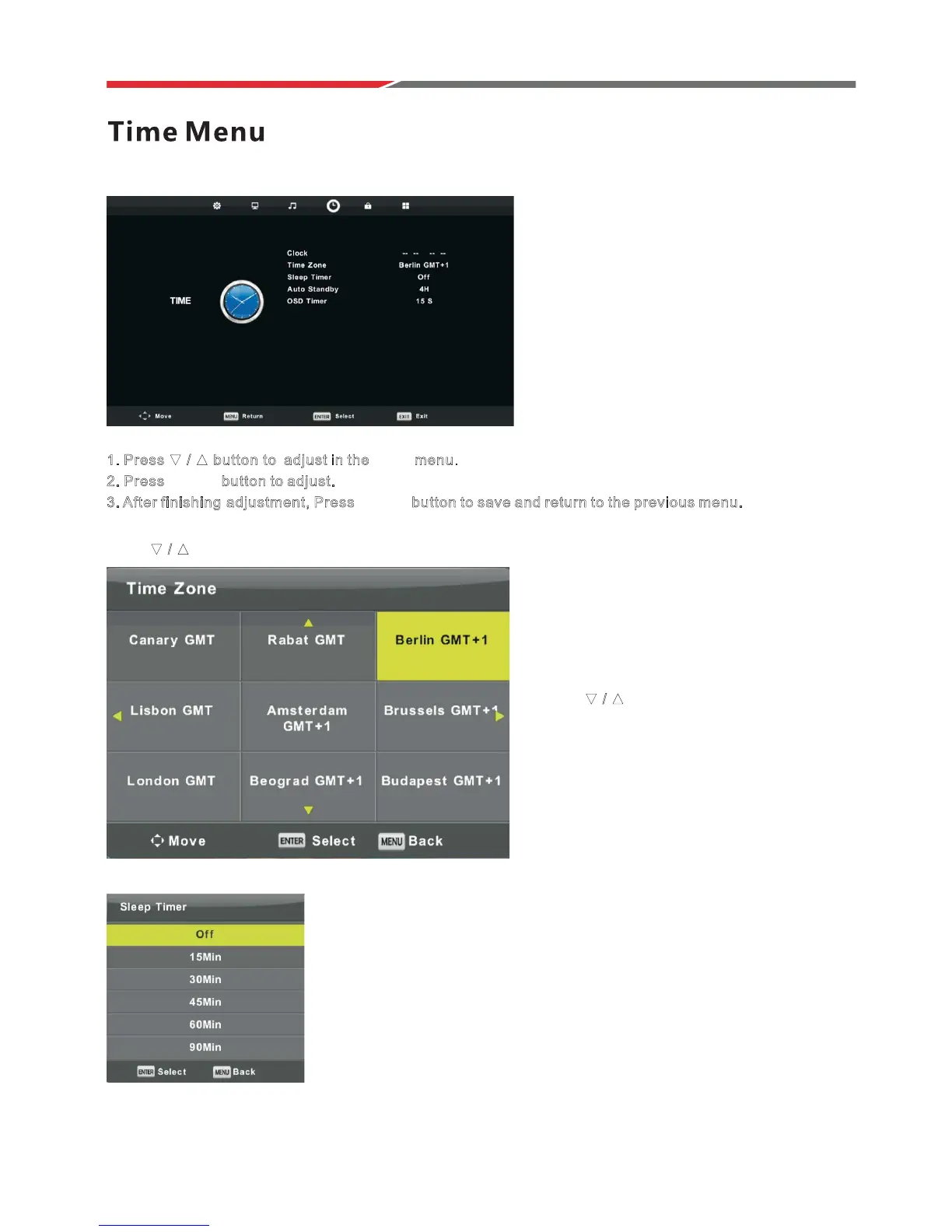
Press MENU button to display the main menu.
PresVŻŹEutton to select TIME in the main menu.
1
. Press ź Ÿ
ź Ÿ
button t o adjust in the TIME menu.
2. Press ENTER button to adjust.
3. After finishing a djustment, Press ENTER button to save and return to the previous menu.
Sleep Timer
Time Zone
PresVźŸEutton to select Sleep Timer, then press ENTER button
to enter sub-menu.
PresVźŸbutton to select.
(Available options are:Off,15min,30min,45min,60min,90min,
120min,240min).
Press button to select Time Zone, then press ENTER button to enter sub-menu.
Press ŻŹEutton to select time zone.
ź
Ÿ



 To Next Page