31
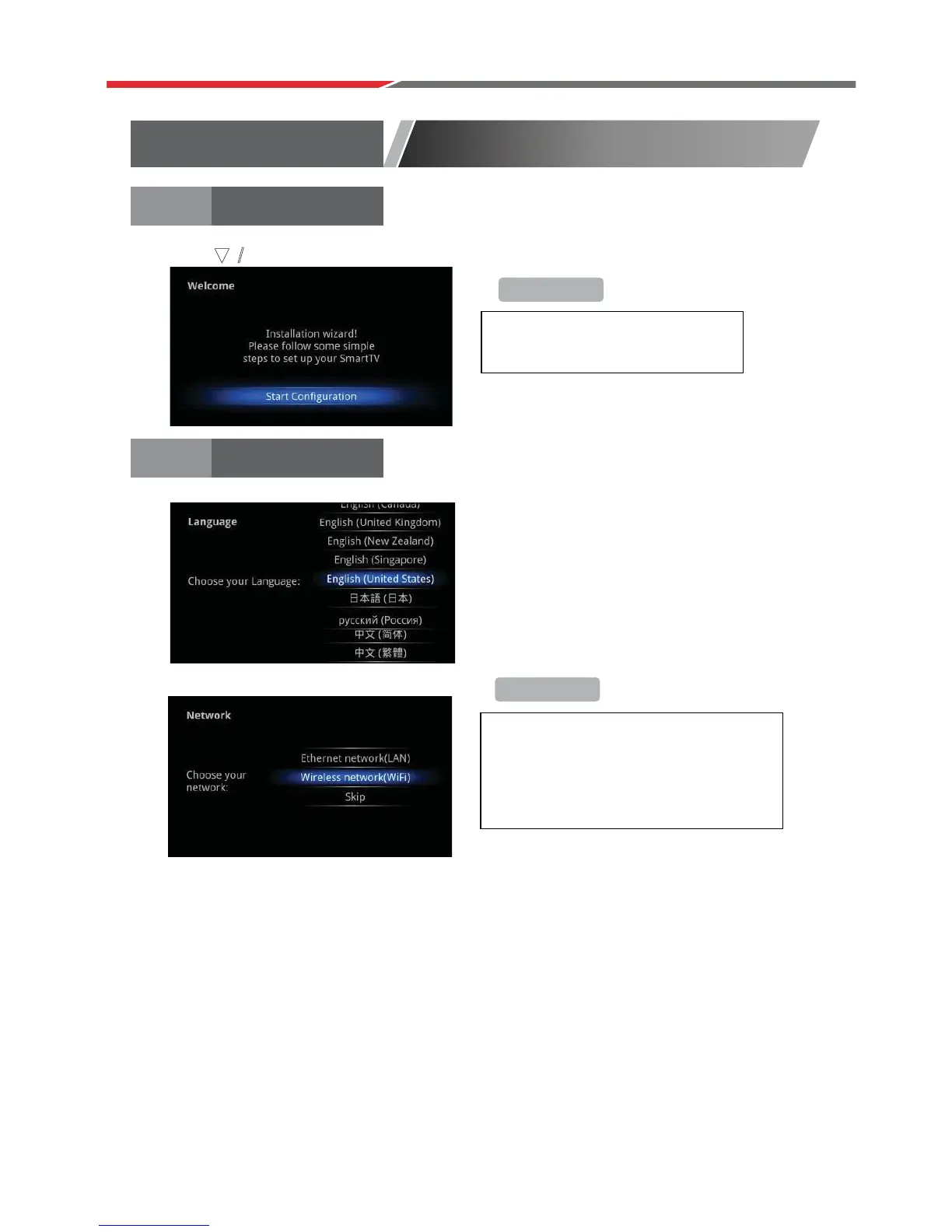
Select Language:
Select Language:
Select network type:
Install Wizard
WELCOME PAGE
+Reminder
+Reminder
To skip this wizard, press
“HOME”
key. Once this guide is used, it
will not auto-open again.
If you do not want to choose your network,
skip this step by pressing “SKIP”.
You will also find the network settings in
the “Settings”.
Setup page
When the AX1824S is first powered up, the Welcome Page will be shown.
Press buttons to select. Press Enter button to confirm. Press Enter to continue.
ź / Ÿ



 To Next Page