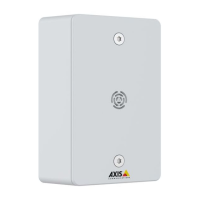
AXISC6110NetworkPagingConsole
Placeandreceiveacall
Placeandreceiveacall
Placeacall
1.Navigatetothepageonthedisplaywherethecontactislocated.
Contactsareindicatedby
.
2.Toplaceacall,pressthebuttonforthecontact.
3.Tomuteorunmuteyourmicrophone,presstheMuteorUnmutebutton.
4.Toregulatethevolumelevelofyourspeaker,pressthevolumebuttonontheleftsideofthepagingconsole.
5.Toendthecall,pressthebuttonforHangup.
Receiveacall
Whenyoureceiveacall,thedisplayshowsIncomingcallandaringingsignalisheard.
1.Toanswerthecall,presstheAnswerbutton.
2.Tohanguporrejectthecall,presstheHangupbutton.
Ifyouhavemissedacall,
isshownatthetoprightcornerofthedisplay.Toseewhocalled,presstheCallhistorybutton.
10



 To Next Page