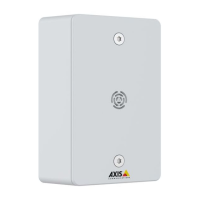
AXISC6110NetworkPagingConsole
Configureyourdevice
Formoreinformationaboutsettingoptions,seeSIPonpage18.
1.RequestthefollowinginformationfromyourPBXprovider:
-UserID
-Domain
-Password
-AuthenticationID
-CallerID
-Registrar
-RTPstartport
2.Toaddanewaccount,gotoSystem>SIP>SIPaccountsandclick+Account.
3.EnterthedetailsyoureceivedfromyourPBXprovider.
4.SelectRegistered.
5.Selectatransportmode.
6.ClickSave.
7.SetuptheSIPsettingsthesamewayasforpeer-to-peer.SeeSetupdirectSIP(P2P)onpage6formoreinformation.
Addcontactsandrecipientdevices
Toaddcontacts,openthewebinterfacebyenteringtheIPaddressofyourpagingconsoleinawebbrowser.
Note
OnlycontactsthatarepersonswillappearinthecontactslistonthedisplayofyourAXISC61 10PagingConsole.
Deviceswillnotshowupinthecontactslist,butyoucancongureabuttononthedisplaytotargetthedevicedirectly.
Note
OnlySIPdevicescanbeusedfortwo-waycommunication.
Note
OnlyVAPIXdevicescanbeusedforcontactgroups.
Addanindividualpersonordeviceasacontact:
1.GotoContactlist>Contacts.
2.ClickAddcontact.
3.SelectDeviceorPerson.
4.Enternameandlocation.
5.SelectSIPorVAPIXandenterthedetails.
Forinformationabouttheoptions,seeContactlistonpage17.
6.ClickSave.
CreateagroupofVAPIXcontacts:
7



 To Next Page