AXISC6110NetworkPagingConsole
Connectexternalequipment
Connectexternalequipment
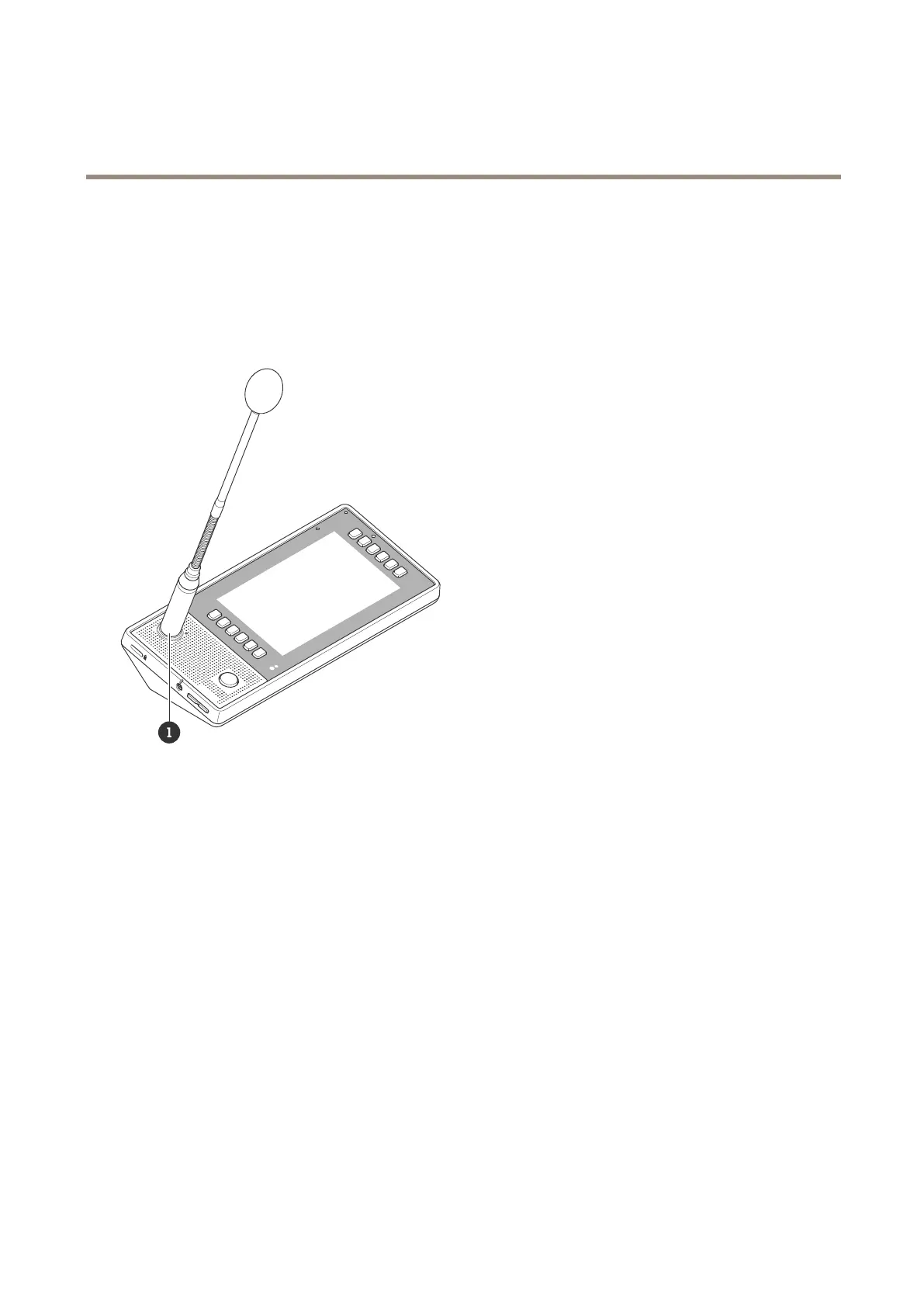
UseanAXISTC6901GooseneckMicrophone
TheAXISTC6901GooseneckMicrophoneisanaccessorythatissoldseparately.
Formountinginstructions,seetheinstallationguideforAXISTC6901GooseneckMicrophone.
1
AXISTC6901GooseneckMicrophone
Touseagooseneckmicrophone:
1.OpenthewebinterfacebyenteringtheIPaddressofyourpagingconsoleinawebbrowser.
2.GotoDevicesettings.
3.SetInputtypetoBalancedmicrophone.
Useaheadset
Youcanconnectaheadsettothe3.5mmaudioconnectorlocatedonthesideoftheAXISC6110NetworkPagingConsole.
Youcanadjustthevolumefortheheadsetusingthevolumebuttons.
Ifyouconnectheadphoneswithoutamicrophone,theinternalmicrophonewillstayactive.
13



 To Next Page