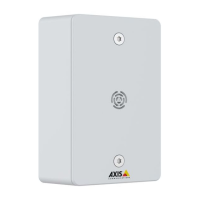
AXISC6110NetworkPagingConsole
Configureyourdevice
1.GotoContactlist>Groups.
2.ClickAddcontactgroupandenterthedetails.
Forinformationabouttheoptions,seeContactlistonpage17.
3.ClickSave.
Congurebuttons,foldersandpages
Tocongurebuttonsandfolders,openthewebinterfacebyenteringtheIPaddressofyourpagingconsoleinawebbrowser.
Createanewbuttonorfolder:
1.Gotothelocationwhereyouwanttoaddthebuttonorfolder.
ThiswilleitherbeontheHomevieworinsideoneofyourfolders.
2.Clickawhitebutton.
Whitecolorindicatesthatthebuttonhasnotbeencongured.
3.Selectifyouwanttocreateanactionorafolder.
Note
Ifyouhaveaviewthatislocateddeepdowninthefolderstructure,agoodpracticeistoaddaHomebuttonthatmakesit
easytoreturntothehomeview.
4.EnterthedetailsandclickSave.
Editordeleteanexistingbuttonorfolder:
•Click
andselectEditorDelete.
Addanewpage:
•ClickAddpage.
Thiswilladdapagetothesamelocation,i.e.attheHomevieworinsidethecurrentfolder.
Note
Ifyoucreatemanypages,agoodpracticeistoaddaHomebuttonthatmakesiteasytoreturntothehomeview.
Youcanaddupto10pagesperfolder.
Changethedisplaysettings
Tochangethedisplaysettings,openthewebinterfacebyenteringtheIPaddressofyourpagingconsoleinawebbrowser.
•Toadjustbrightness,timersandpresencedetection,gotoDisplaysettings>Display.
•Toadjustlanguageandclocksettingsforthedisplayofyourpagingconsole,gotoDisplay>Localization.
Formoreinformationabouttheindividualoptions,seeDisplaysettingsonpage22.
Setuprulesforevents
Youcancreaterulestomakeyourdeviceperformactionswhencertaineventsoccur.Aruleconsistsofconditionsandactions.The
conditionscanbeusedtotriggertheactions.Forexample,thedevicecanplayanaudioclipaccordingtoascheduleorwhenit
receivesacall,orsendanemailifthedevicechangesIPaddress.
8



 To Next Page