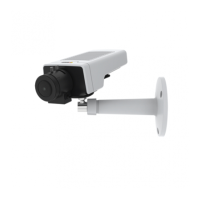
AXISM11NetworkCameraSeries
3
Powerconnector
4
Controlbutton
5
Networkconnector
6
PowerLED
7
StatusLED
8
NetworkLED
9
microSDcardslot
10
Irisconnector
11
I/Oconnector
12
¼
″
Screwmount
LEDIndicators
Note
•TheStatusLEDcanbeconguredtobeunlitduringnormal
operation.Tocongure,gotoSetup>SystemOptions>Ports
&Devices>LED.Seetheonlinehelpformoreinformation.
•TheStatusLEDcanbeconguredtoashwhileaneventis
active.
•TheStatusLEDcanbeconguredtoashforidentifyingthe
unit.GotoSetup>SystemOptions>Maintenance.
StatusLED
Indication
GreenSteadygreenfornormaloperation.
Amber
Steadyduringstartupandwhen
restoringsettings.
Note
TheNetworkLEDcanbedisabledsothatitdoesnotashwhen
thereisnetworktrafc.Tocongure,gotoSetup>System
Options>Ports&Devices>LED.Seetheonlinehelpformore
information.
11



 To Next Page