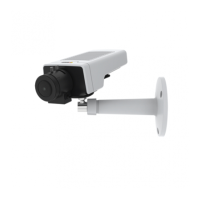
AXISM1145NetworkCamera
AboutPTZ(PanTiltZoom)
6.Foreachpresetposition,entertheViewTimeinsecondsorminutes.
7.SpecifytheViewOrderofthepresetpositions,orselectRandomvieworder.
8.ClickSave.
Howtoeditaguardtour
1.GotoSetup>PTZ>GuardTour.
2.SelecttheguardtourintheGuardTourList.
3.ClickModify.
Howtodeleteaguardtour
1.GotoSetup>PTZ>GuardTour.
2.SelecttheguardtourintheGuardTourList.
3.ClickRemove.
Abouttourrecording
Theguardtourfunctioninthisproductincludestourrecording,whichallowsrecordingofacustomtourusinganinputdevicesuchas
ajoystick,mouse,keyboardorthroughtheVAPIX®ApplicationProgrammingInterface(API).Arecordedtourisareplayofarecorded
sequenceofpan/tilt/zoommovements,includingtheirvariablespeedsandlengths.
Howtocreatearecordedtour
Note
Onlythenameoftherecordedtourandpausebetweenrunscanbemodied.Startinganewrecordingwilloverwritethe
existingguardtour.
1.GotoPTZ>GuardTourandclickAdd.
2.SelectCreatearecordtourandclickOK.
3.Typeaname.
4.Specifythepauselengthbetweenruns.
5.Click
tostartrecordingthepan/tilt/zoommovements.
6.Whensatised,click
.
7.ClickOK.
8.Activatetherecordedtourfromtheliveview,theguardtourpagesorthroughevents.Formoreinformationseethe
onlinehelp
.
Advanced
AboutadvancedPTZsettings
AdvancedPTZsettingscanbeconguredunderPTZ>Advanced>Controls.
27



 To Next Page