AXISM30NetworkCameraSeries
Specifications
Specifications
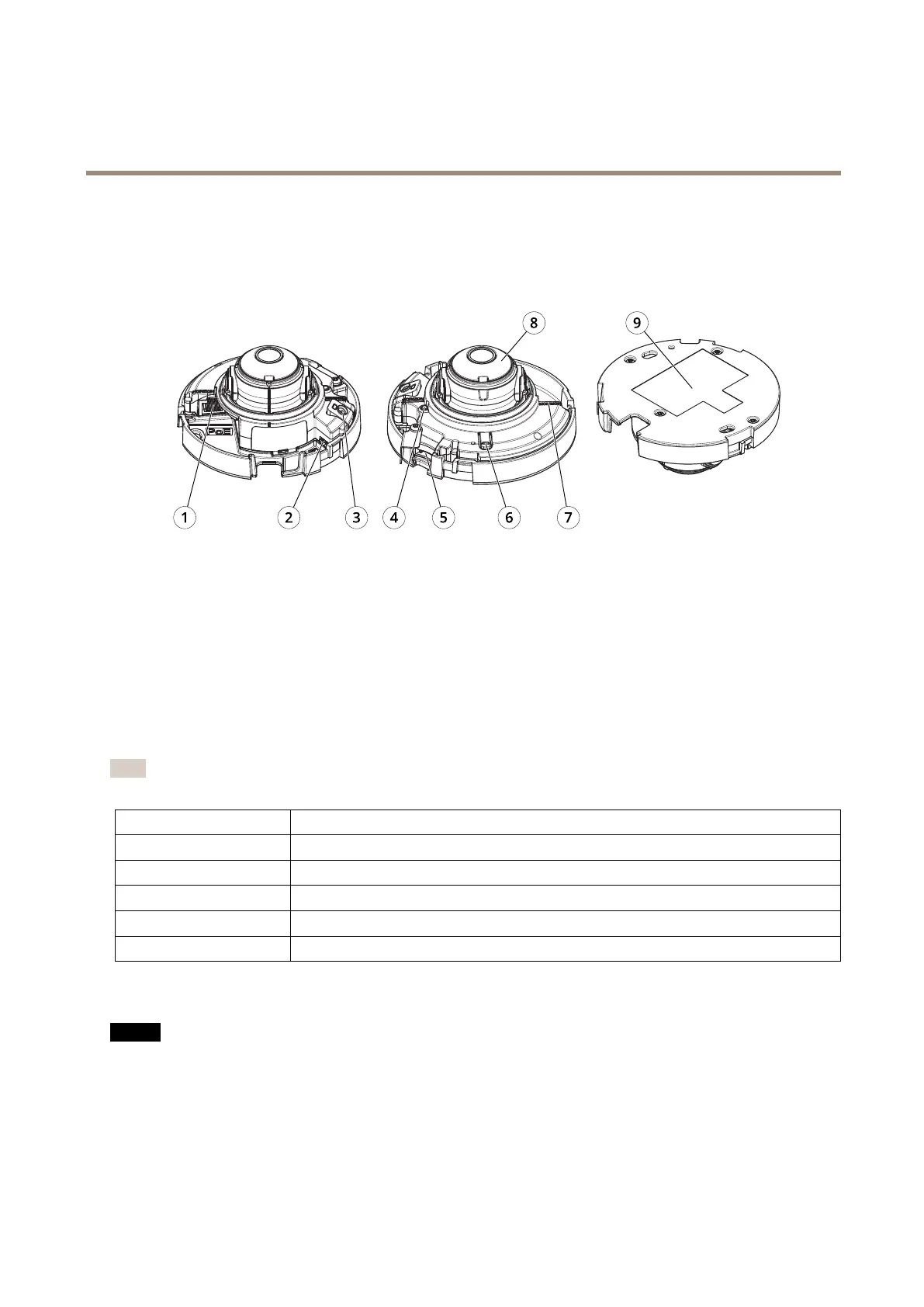
Productoverview
1
Networkconnector(PoE)
2
HDMIconnector(Micro)
3
Microphone(AXISM3075-V)
4
StatusLEDindicator
5
SDcardslot
6
Controlbutton
7
Levelingmark
8
Focusring
9
Partnumber(P/N)&Serialnumber(S/N)
LEDindicators
Note
TheStatusLEDcanbeconguredtoashwhileaneventisactive.
StatusLED
Indication
Unlit
Connectionandnormaloperation.
GreenShowssteadygreenfor10secondsfornormaloperationafterstartupcompleted.
Amber
Steadyduringstartup.Flashesduringrmwareupgradeorresettofactorydefault.
Amber/RedFlashesamber/redifnetworkconnectionisunavailableorlost.
RedFirmwareupgradefailure.
SDcardslot
NO NO
NO
TICE TICE
TICE
•RiskofdamagetoSDcard.Donotusesharptools,metalobjects,orexcessiveforcewheninsertingorremovingthe
SDcard.Useyourngerstoinsertandremovethecard.
•Riskofdatalossandcorruptedrecordings.DonotremovetheSDcardwhiletheproductisrunning.UnmounttheSDcard
fromtheproduct’swebpagebeforeremoval.
ThisproductsupportsmicroSD/microSDHC/microSDXCcards.
55



 To Next Page