AXISM30NetworkCameraSeries
Additionalsettings
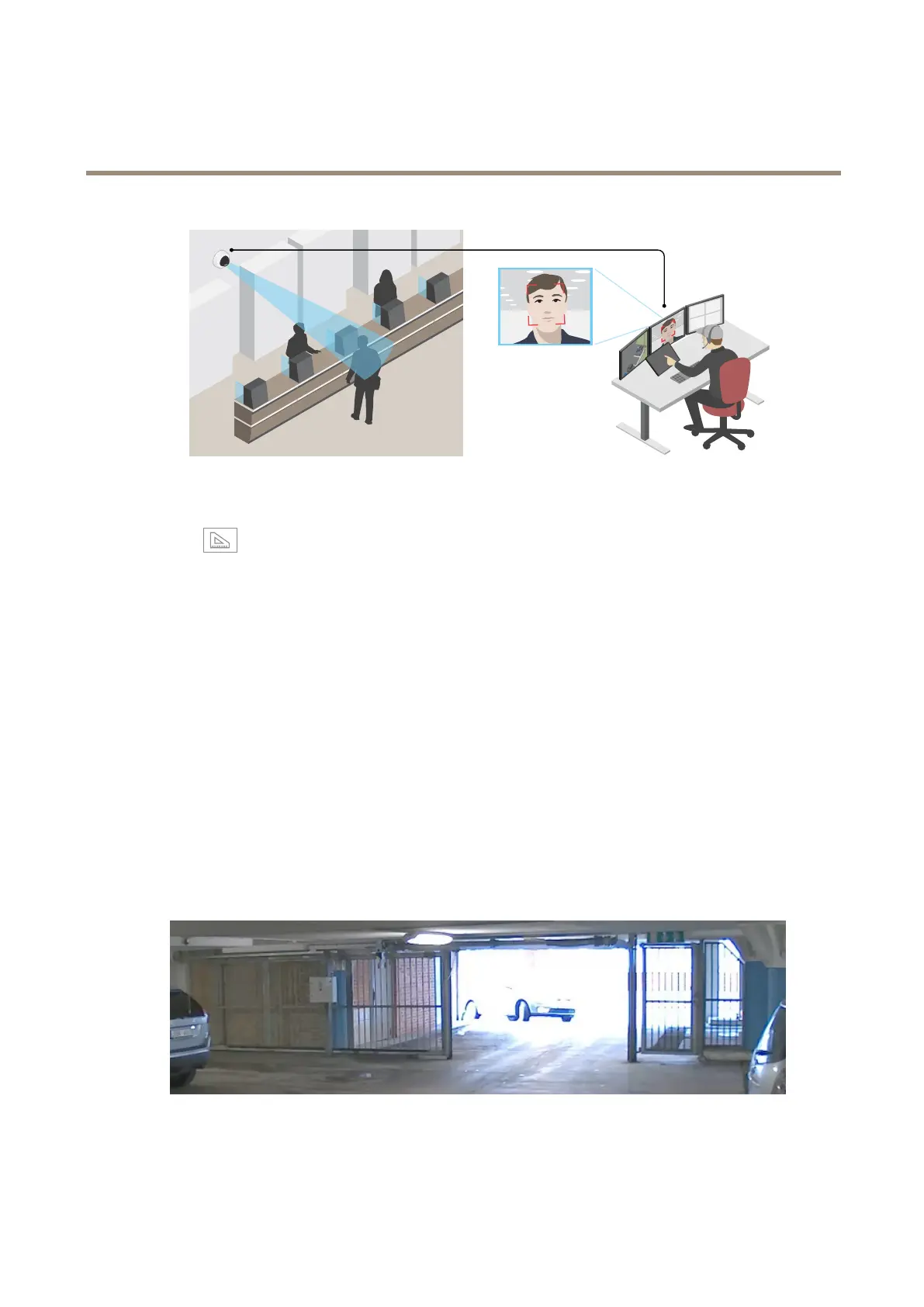
1.GotoSettings>System>Orientation.
2.Click
.
3.Inthecamera’sliveview,adjustthesizeandpositionoftherectanglearoundtheareaofinterest,forexamplewhere
youexpectfacestoappear.
Youcanseethenumberofpixelsforeachoftherectangle’ssides(XandY),anddecideifthevaluesareenoughfor
yourneeds.
Viewarea
Aviewareaisacroppedpartofthefullview.Youcanstreamandstoretheviewareainsteadofthefullviewtominimizebandwidth
andstorageneeds.IfyouenablePTZfortheviewarea,youcanpan,tiltandzoomwithinit.Byusingaviewareayoucanremove
partsofthefullview,forexample,thesky.
Whenyousetupaviewarea,werecommendyoutosetthevideostreamresolutiontothesamesizeasorsmallerthantheviewarea
size.Ifyousetthevideostreamresolutionlargerthantheviewareasizeitimpliesdigitallyscaledupvideoaftersensorcapture,
whichrequiresmorebandwidthwithoutaddingimageinformation.
Handlesceneswithstrongbacklight
Dynamicrangeisthedifferenceinlightlevelsinanimage.Insomecasesthedifferencebetweenthedarkestandthebrightest
areascanbesignicant.Theresultisoftenanimagewhereeitherthedarkorthebrightareasarevisible.Widedynamicrange
(WDR)makesbothdarkandbrightareasoftheimagevisible.
ImagewithoutWDR.
10



 To Next Page