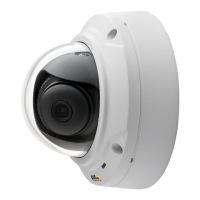
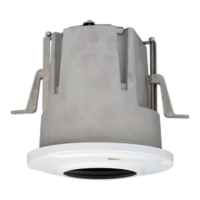
AXISM3027-PVEFixedDomeNetworkCamera
Video
Shutter&Gain
Theshutterandgainsettingsaffecttheamountofmotionblurandnoiseintheimage.Toadapttodifferentlighting,available
storagespaceandbandwidth,itisoftennecessarytoprioritizeeitherlowmotionblurorlownoise.TheAxisproductallowsdifferent
prioritizationinnormallightandinlowlight.
Shutterspeedisrelatedtotheamountoftimetheshutterisopenedandismeasuredinseconds(s).Aslowshutterspeedallows
morelighttoreachthesensorandcanhelpproduceabrighterimageinlowlightsituations.Ontheotherhand,aslowshutter
speedcancausemovingobjectstoappearblurry.
SetWideDynamicRangetoWDROffandsetShutterto
•Autotosettheshutterspeedautomatically.Ifrequired,useMaxshuttertolimittheshutterspeedtopreventtheframe
ratefrombeingreduced.
•Fixedtouseaxedshutterspeed.
Gain,measuredindecibel(dB),istheamountofamplicationappliedtotheimage.Ahighgainmayprovideabetterimageinlow
lightsituationsbutwillincreasetheamountofimagenoise.
SetGainto
•Autotosetthegainautomatically.Ifrequired,useMaxgaintolimittheappliedgain.
•Fixedtouseaxedgain.
Example
Ifstoragespaceorbandwidthislimited,tryusingalowergain.Thiswillreduceimagenoiseandproducesmallerimageles.
Day/Night
TheIRcutlterpreventsinfrared(IR)lightfromreachingtheimagesensor.Inpoorlightingconditions,forexampleatnight,orwhen
usinganexternalIRlamp,settheIRcutltertoOff.Thisincreaseslightsensitivityandallowstheproductto“see”infraredlight.The
imageisshowninblackandwhitewhentheIRcutlterisoff.
IfusingautomaticExposurecontrol,settheIRcutltertoAutotoautomaticallyswitchbetweenOnandOffaccordingtothe
lightingconditions.
TheDay/Nightshiftlevelbarhelpsdeterminewhenthecamerawillshiftfromdaymodetonightmode.Normally,thecamera
automaticallychangesmodefromdaytonightwhenverydark(level100intheslider).BysettingDay/Nightshiftleveltoa
lowervalue,thecamerawillchangetonightmodeearlier.
Viewareas
Aviewareaisacroppedpartofthefullview.ItistreatedasavideosourceinLiveViewandhasitsownvideostreamandPTZ
settings.SeePTZ(PanTiltZoom)onpage28.TosetupaviewareagotoVideo>ViewAreas.Hereyoucandenethenameand
resolutionforaviewarea,setupaHomepositionandlocktothispositionifdesired.
TodenethevideostreamsettingsforeachviewareaclickontherespectiveviewareafromSetup>Video>VideoStream.
Seepage17.
YoucanselectaviewareathatyouhavesetupfromtheSourcedrop-downlistintheLiveViewpage.UsethePan,Tilt,Zoom
sliders,orclickontheoverviewmapatthebottomrighttozeroinonanarea.Thecurrentpositionisindicatedintheoverview
mapbyagreencircle.
Aboutoverlays
Overlaysaresuperimposedoverthevideostream.Theyareusedtoprovideextrainformationduringrecordings,suchasatimestamp,
orduringproductinstallationandconguration.
22



 To Next Page