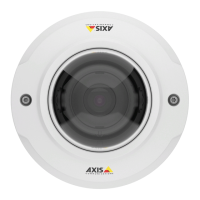
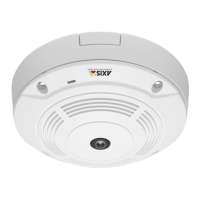
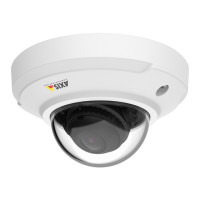
AXISM3037-PVEFixedDomeNetworkCamera
Events
•Time
-Recurrence–Triggertheruleperiodically.SeeSetUpRecurrencesonpage48.Thiscanforexamplebeusedto
uploadanimageevery5minutes.
-UseSchedule–Triggertheruleaccordingtotheselectedschedule.SeeCreateSchedulesonpage48.
Actions
Availableactionsinclude:
•Day/NightVisionMode–Setdaymode(IRcutlteron)ornightmode(IRcutlteroff).
•MakeCall–MakesacalltothespeciedSIPorVideoManagementSystem(VMS)recipient.
•OutputPort–ActivateanI/Oporttocontrolanexternaldevice.
•OverlayText–Displayanoverlaytext.SeeUseOverlayTextinanActionRuleonpage24.
•PlayAudioClip–SeeAudioClipsonpage26.
•PTZControl
-PresetPosition–Gotoapresetposition.
-GuardTour–Startaguardtour.SeeGuardTouronpage29.
•RecordVideo–Recordvideoandaudiotoaselectedstorage.Torecordaudio,useAACaudioencodingandmakesurethat
audioisenabledintheselectedstreamprole.
•SendImages–Sendimagestoarecipient.
•SendNotication–Sendanoticationmessagetoarecipient.
•SendSNMPTrap–SendanSNMPtrapmessagetotheoperator.MakesurethatSNMPisenabledandcongured
underSystemOptions>Network>SNMP.
•SendVideoClip–Sendavideocliptoarecipient.
•StatusLED–FlashtheLEDindicator.Thiscanforexamplebeusedtovalidatetriggerssuchasmotiondetectionduring
productinstallationandconguration.
AddRecipients
Theproductcansendmedialesandmessagestonotifyusersaboutevents.Beforetheproductcansendmedialesornotication
messages,youmustdeneoneoremorerecipients.Forinformationaboutavailableoptions,seeRecipientTypesonpage47.
Toaddarecipient:
1.GotoEvents>RecipientsandclickAdd.
2.Enteradescriptivename.
3.SelectarecipientType.
4.Entertheinformationneededfortherecipienttype.
5.ClickTesttotesttheconnectiontotherecipient.
6.ClickOK.
46


 To Next Page