AXISM3077-PLVENetworkCamera
Configureyourdevice
(Continued)
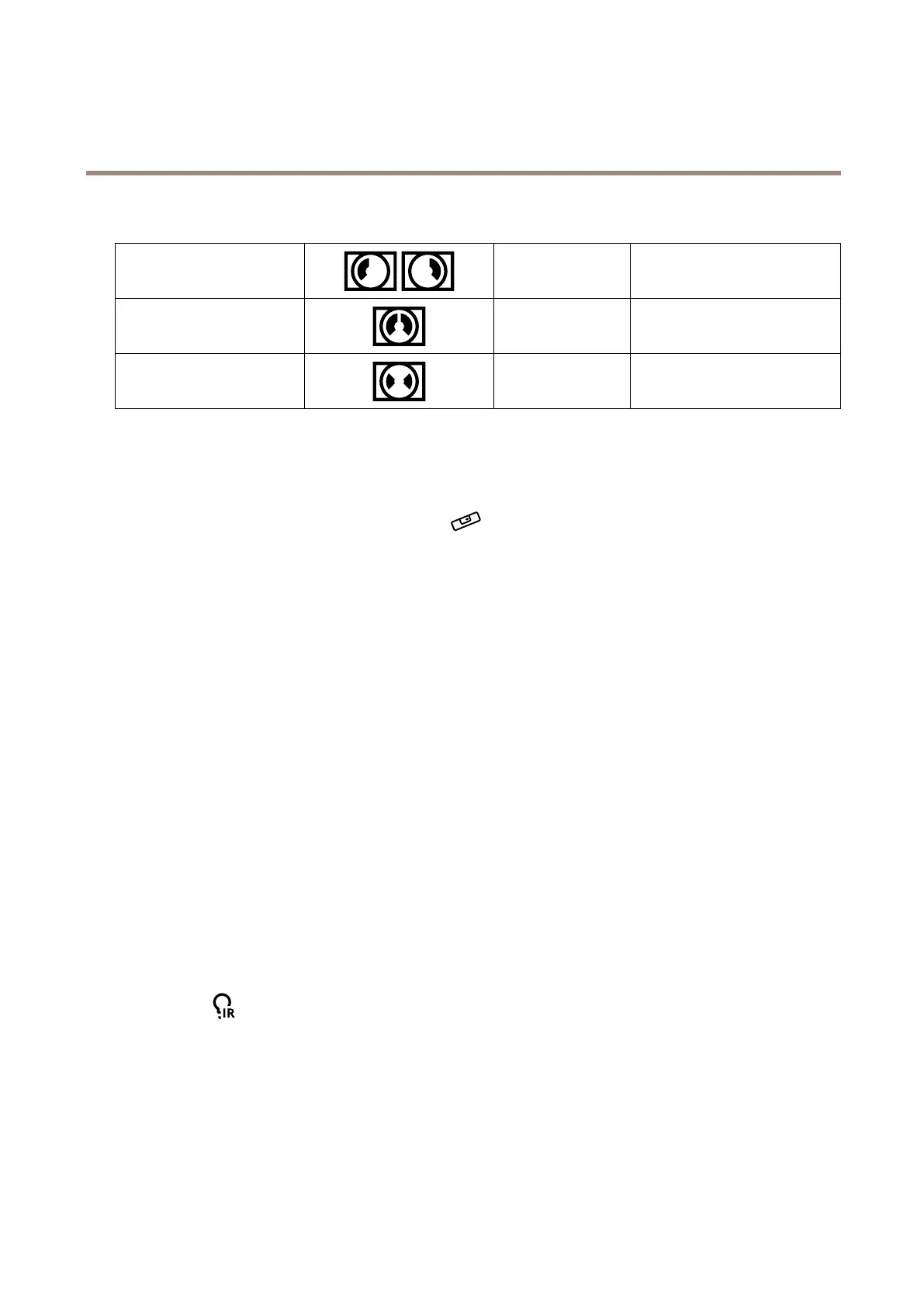
CornerLeft/Right
8:3
2:1
2304x864to192x72
2368x1184
DoubleCorner
4:3
1:1
1920x1440to384x288
2016x2016to480x480
Corridor
4:3
16:9
2560x1920to320x240
2560x1440to256x144
Levelthecamera
Toadjusttheviewinrelationtoareferenceareaorobject,usethelevelingguideincombinationwiththedigitalrollsliderinthe
camera.
1.GotoSettings>System>Orientationandclick
.
2.AdjustthecamerabyusingDigitalrolluntilthepositionofthereferenceareaorobject,isalignedwiththelevelingguide.
Selectexposuremode
Toimproveimagequalityforspecicsurveillancescenes,useexposuremodes.Exposuremodesletsyoucontrolaperture,shutter
speed,andgain.GotoVideo>Image>Exposureandselectbetweenthefollowingexposuremodes:
•Formostusecases,selectAutomaticexposure.
•Forenvironmentswithcertainarticiallighting,forexampleuorescentlighting,selectFlicker-free.
Selectthesamefrequencyasthepowerlinefrequency.
•Forenvironmentswithcertainarticiallightandbrightlight,forexampleoutdoorswithuorescentlightingatnightand
sunduringdaytime,selectFlicker-reduced.
Selectthesamefrequencyasthepowerlinefrequency.
•Tolockthecurrentexposuresettings,selectHoldcurrent.
OptimizeIRillumination
Dependingontheinstallationenvironmentandtheconditionsaroundthecamera,forexampleexternallightsourcesinthescene,
youcansometimesimprovetheIRilluminationifyoumanuallyadjusttheintensityoftheLEDs.
1.GotoVideo>Image>Day-nightmode.
2.TurnonAllowillumination.
3.Goto
andselectManual.
4.Adjusttheintensity.
BenetfromIRlightinlow-lightconditionsbyusingnightmode
Yourcamerausesvisiblelighttodelivercolorimagesduringtheday.Butasthevisiblelightdiminishes,colorimagesbecomeless
brightandclear.Ifyouswitchtonightmodewhenthishappens,thecamerausesbothvisibleandnear-infraredlighttodeliverbright
anddetailedblack-and-whiteimagesinstead.Youcansetthecameratoswitchtonightmodeautomatically.
7



 To Next Page