AXISM3077-PLVENetworkCamera
Configureyourdevice
Configureyourdevice
Adjusttheimage
Thissectionincludesinstructionsaboutconguringyourdevice.Ifyouwanttolearnmoreabouthowcertainfeatureswork,go
toLearnmoreonpage48.
Rotatetheimagewithdigitalroll
Note
Ifyourotatetheimage,allviewsareaffected.
Torotatethe360°view,gotoVideo>Image>OrientationandusetheRollslider.
Youcanalsoenteravaluefortherollangleinthetexteld.
Congurethequadview
Note
Quadviewisavailableinthesemountingpositions:
•Desk
•Ceiling
1.Click
andselectLegacydeviceinterface.
2.SelectQuadviewamongthelivefeedsources.
3.GotoSettings>System>Orientationandclick
.
4.Tochangethevieworder,draganddroptheyellowboxes.
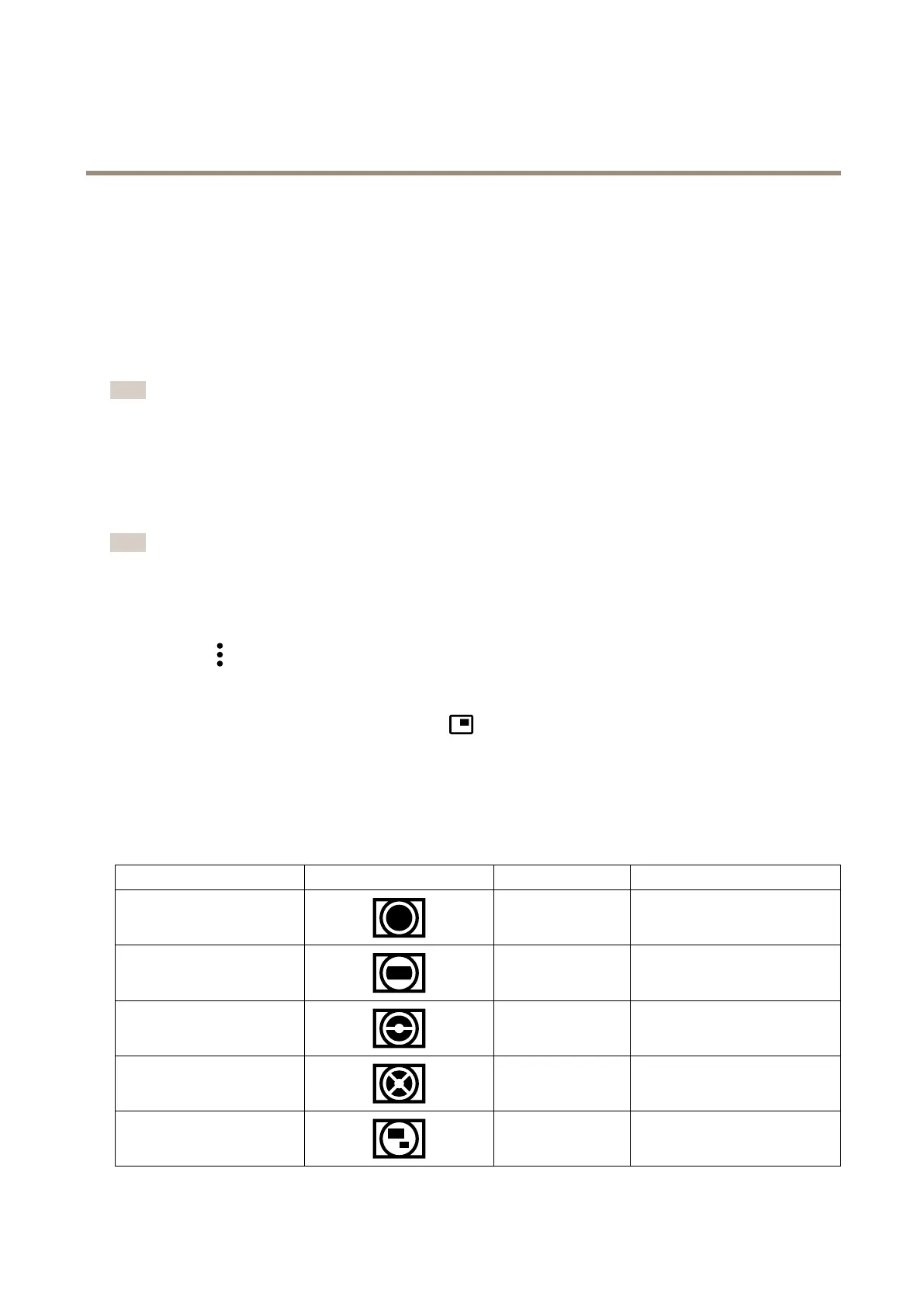
Aboutcapturemodes
Acapturemodeisoneofthepossibleviewsforthisproductandcanbeaccessedfromthedrop-downlistintheproduct’slive
streamview.
View
Symbol
Aspectratio
ResolutionsAXISM3077-PLVE
Overview
1:1
2016x2016to160x160
Panorama
8:3
16:9
32:9
2560x960to192x72
2560x1440to256x144
2560x720to1280x360
DoublePanorama
4:3
16:9
2560x1920to384x288
2560x1440to512x288
QuadView
4:3
16:9
2560x1920to384x288
2560x1440to512x288
ViewAreas1-4
4:3
16:9
1920x1440to320x240
1920x1080to256x144
6



 To Next Page