AXISM30DomeCameraSeries
Configureyourdevice
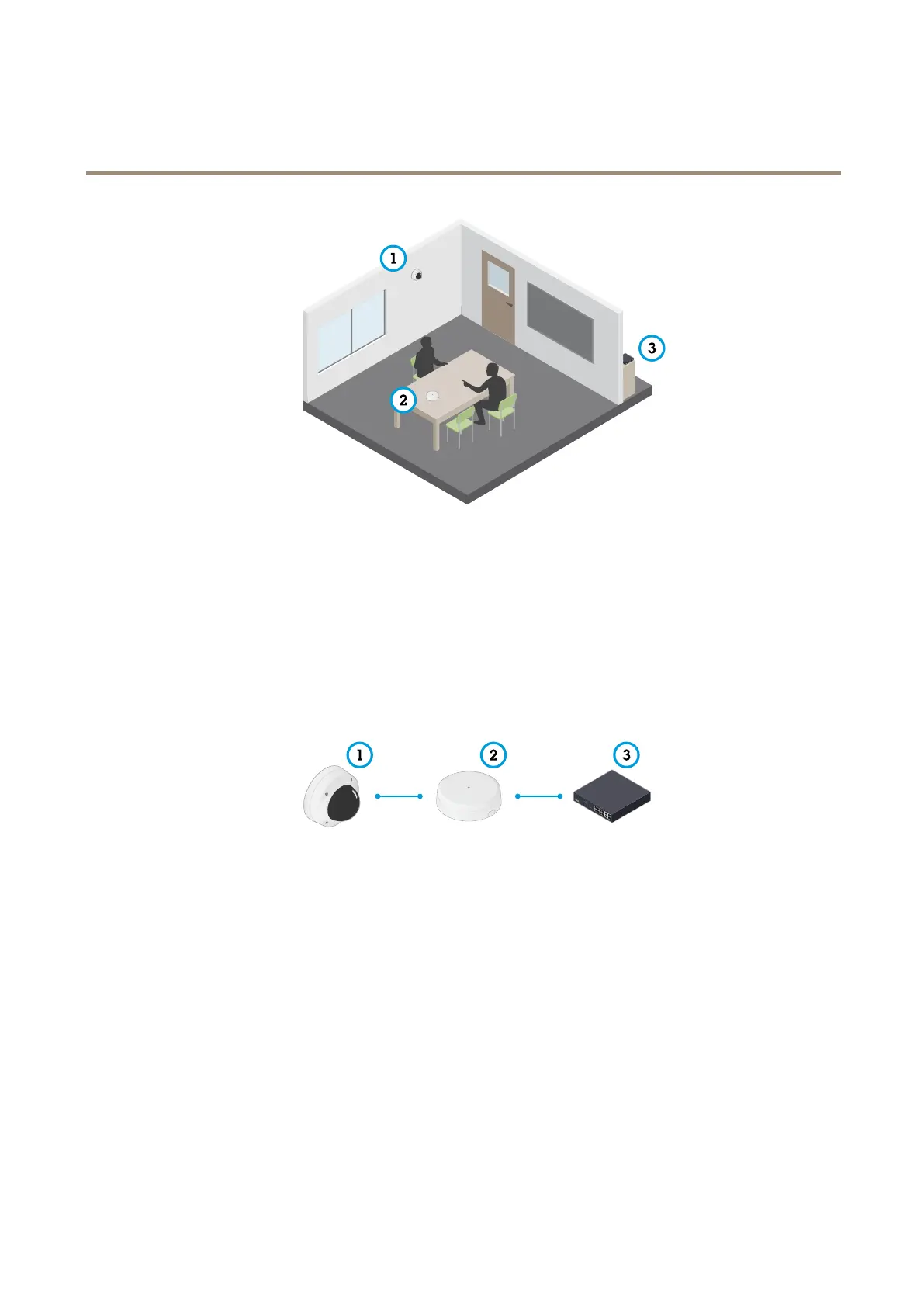
InterviewroomwithAXIST61Seriessetup.
1
Axisnetworkvideodevice
2
AXIST61AudioandI/OInterface
3
PoEswitch
ToaddaudiocapabilitytoyourAxisnetworkvideodevice,connecttheAXIST61AudioandI/OInterfacebetweenyourdeviceand
thePoEswitchwhichprovidespower.
1.ConnecttheAxisnetworkvideodevice(1)andtheAXIST61AudioandI/OInterface(2)withaPoEcable.
2.ConnecttheAXIST61AudioandI/OInterface(2)andthePoEswitch(3)withaPoEcable.
Oncethedevicesareconnected,anaudiotabbecomesvisibleinthesettingsforyourAxisnetworkvideodevice.Gototheaudio
tabandturnonAllowaudio.
SeeT61usermanualforfurtherinstructions.
14



 To Next Page