AXISM30DomeCameraSeries
Configureyourdevice
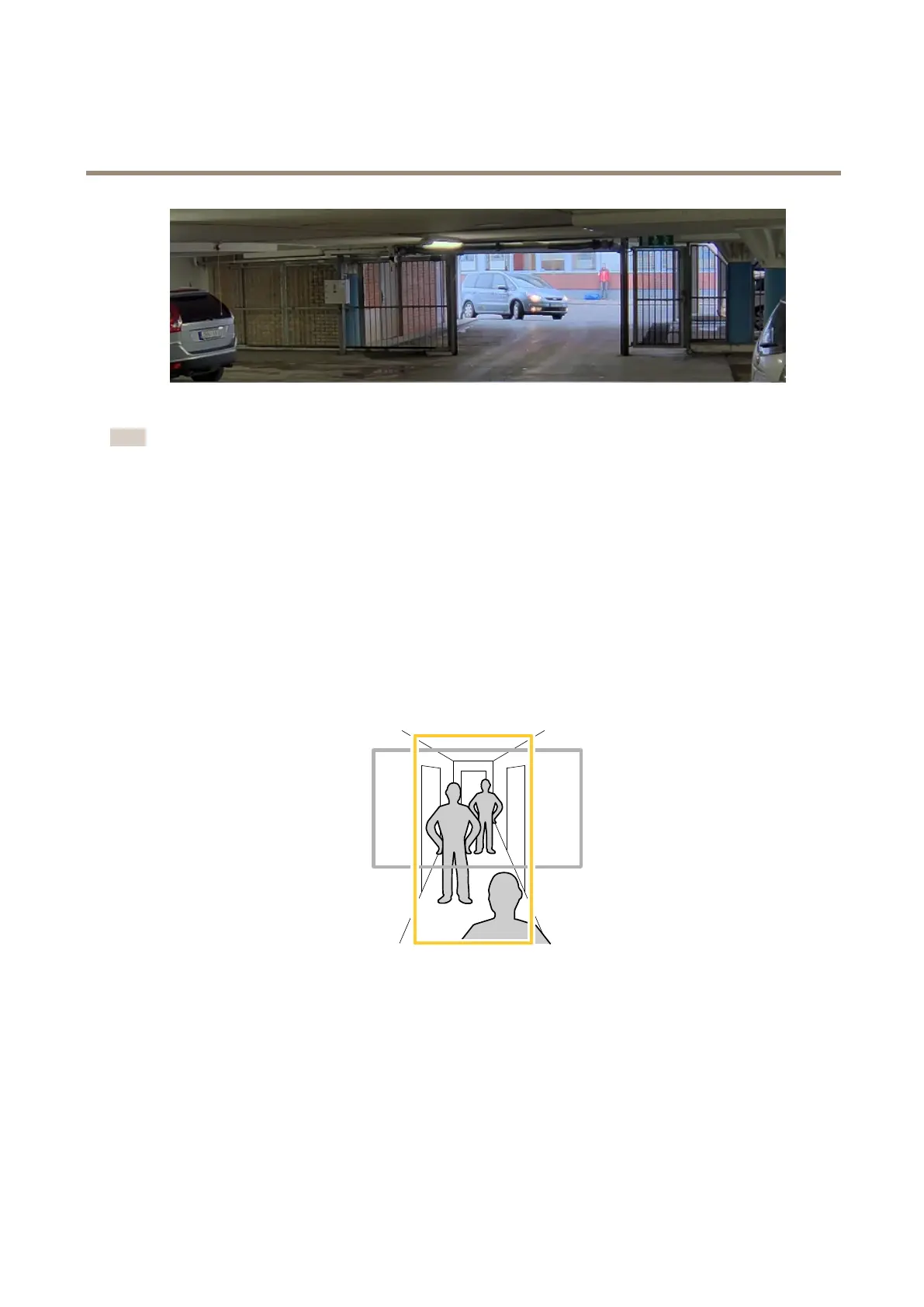
ImagewithWDR.
Note
•WDRcancauseartifactsintheimage.
•WDRmaynotbeavailableforallcapturemodes.
1.GotoVideo>Image>Widedynamicrange.
2.TurnonWDR.
3.UsetheLocalcontrastslidertoadjusttheamountofWDR.
4.Ifyoustillhaveproblems,gotoExposureandadjusttheExposurezonetocovertheareaofinterest.
FindoutmoreaboutWDRandhowtouseitataxis.com/web-articles/wdr.
Monitorlongandnarrowareas
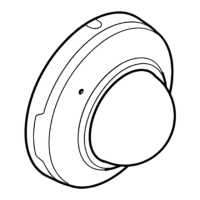
Usecorridorformattobetterutilizethefulleldofviewinalongandnarrowarea,forexampleastaircase,hallway,road,ortunnel.
1.Dependingonyourdevice,turnthecameraorthe3-axislensinthecamera90°or270°.
2.Ifthedevicedoesn’thaveautomaticrotationoftheview,gotoVideo>Installation.
3.Rotatetheview90°or270°.
Verifythepixelresolution
Toverifythatadenedpartoftheimagecontainsenoughpixelsto,forexample,recognizethefaceofaperson,youcanusethe
pixelcounter.
8



 To Next Page