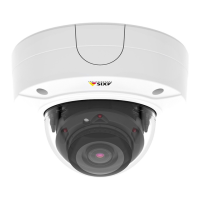
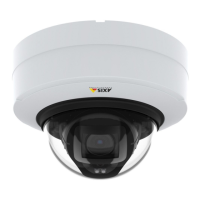
AXISP3225-LVENetworkCamera
Video
Important
UseWDRincombinationwithautomaticexposurecontrol.Otherexposuresettingscouldgiveundesirableresults.
ExposureSettings
Conguretheexposuresettingstosuittheimagequalityrequirementsinrelationtolighting,framerateandbandwidth
considerations.
Exposurevalue-UsetheExposurevalueslidertoadjusttheoverallbrightnessoftheimage.
Exposurecontrol-Thissettingisusedtoadapttotheamountoflightused.Automaticisthedefaultsettingandcanbeusedin
mostsituations.Theshutterspeedisautomaticallysettoproduceoptimumimagequality.Flicker-free50or60Hzisusedtoremove
ickerwhichcanbecausedbyuorescentandotherlightsources.TheHoldcurrentoptionlocksthecurrentexposuresettings.
Maxexposuretime-Decreasingtheexposuretimewillreducemotionblur.Formoreinformation,seetheonlinehelp
Exposurezones-Thissettingdetermineswhichpartoftheimageisusedtocalculatetheexposure.Formostsituations,theAuto
settingcanbeused.Forparticularrequirements,selectapredenedarea.
Shutter&Gain
NormalLight-UsetheslidertosetthePrioritybetweenLowmotionblurandLownoise.Whenprioritizinglownoise(slider
allthewaytotheleft)theAxisproductwillautomaticallydecreaseshutterspeedasbrightnessdecreases.Whentheshutter
speedreaches1/30stheAxisproductwillincreasegainuntilthesetmaximumgainfornormallightisreached.SelecttheMax
gainvaluefromthedrop-downlist.Thisdenestheupperlimitforgaininthecontextofnormallight.Maxfastshuttersets
shutterspeedlimitinnormallightconditions.Dependingonascenario,theshutterspeedlimitmayneedtobedened.Thisis
donethroughSystemOptions>Advanced>PlainCong.
LowLight-UsetheslidertosetthePrioritybetweenLowmotionblurandLownoise.Whenprioritizinglowmotionblur(slider
allthewaytotheright)thecamerawillautomaticallyincreasegainasbrightnessdecreases.Whenthegainreachestheset
maximumgainforlowlight,thecamerawilldecreaseshutterspeeduntilthesetmaximumshutterforlowlightisreached.
Thisisthedefaultprioritysettingforlowlight.
Irisadjustment
SelectEnableautomaticirisadjustmenttoautomaticallycompensateforchanginglightconditions.Thisoptionisnotavailable
ifaxedirisisused.
UsetheIrisadjustmentslidertosetthepreferredF-value.Thescalerepresentstheamounttheirisisopen.Ifsetto0,theirisis
openedasmuchaspossible.Ifsetto100,theirisisclosedasmuchaspossible.TheactualF-valueisshownbelowtheslider.If
automaticirisadjustmentisenabled,theiriswillstayatthispositionaslongaslightconditionsarefavorable.Iflightconditions
change,theiriswilladjustitselftothebestirissettings.Ifautomaticirisadjustmentisdisabled,theiriswilllockontheset
positionregardlessoflightconditions
Day/Night
TheIRcutlterpreventsinfrared(IR)lightfromreachingtheimagesensor.Inpoorlightingconditions,forexampleatnight,orwhen
usinganexternalIRlamp,settheIRcutltertoOff.Thisincreaseslightsensitivityandallowstheproductto“see”infraredlight.The
imageisshowninblackandwhitewhentheIRcutlterisoff.
IfusingautomaticExposurecontrol,settheIRcutltertoAutotoautomaticallyswitchbetweenOnandOffaccordingtothe
lightingconditions.
TheDay/Nightshiftlevelbarhelpsdeterminewhenthecamerawillshiftfromdaymodetonightmode.Normally,thecamera
automaticallychangesmodefromdaytonightwhenverydark(level100intheslider).BysettingDay/Nightshiftleveltoa
lowervalue,thecamerawillchangetonightmodeearlier.
22


 To Next Page