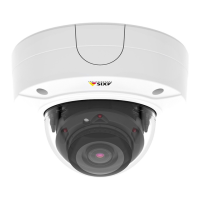
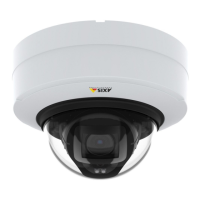
AXISP3225-LVENetworkCamera
Video
Built-inIRIlluminationsLEDs
WARNING
Riskofeyeinjury.DonotlookdirectlyintotheIRLEDatshortdistance.SincethelightprovidedfromtheIRLEDisoutsideof
thevisiblerange,itisnotpossibletoseeifitisactive.UsethecameratocheckiftheIRilluminationisactive.
TheIRilluminationcanbeactivatedorde-activated,anditsintensitycanbeincreasedordecreasedbymovingtheslider,from
theproduct’sLiveViewpage.
OthersettingscanbedenedfromSetup>Video>CameraSettings.
De-selecttheEnableIRilluminationoptiontodisableIRilluminationaltogether.IfyoudisabletheSynchronizeIRilluminationwith
day/nightoption,IRilluminationwillnotbesynchronizedwithday/nightchanges.
TocongureIRilluminationclickEdit.
TheIRIlluminationwindowdisplaystheapproximateareatheIRlightwillilluminategiventhecurrentsettings.WhenAngleof
illuminationissettoAuto,theIRilluminationisautomaticallyadjustedaccordingtothecamera’szoom.Whenthis‘Auto’behavior
isdisabled,itispossibletomanuallyadjusttheangleoftheIRlightbymovingtheAngleofilluminationslider.
ViewArea
Aviewareaisacroppedpartofthefullview.EachviewareaistreatedasavideosourceinLiveViewandhasitsownvideo
streamandPTZsettings.
Whensettingupaviewareaitisrecommendedthatthevideostreamresolutionisthesamesizeasorsmallerthantheviewarea
size.Settingthevideostreamresolutionlargerthantheviewareasizeimpliesdigitallyscaledupvideoaftersensorcapture,
requiringmorebandwidthwithoutaddingimageinformation.
Toenable,gotoVideo>CameraSettingsandselectEnableViewAreas.
Toaddanewviewarea:
1.GotoVideo>ViewArea.
2.ClickAdd.
3.ThenewviewareaappearsunderSelectedviewarea.EnteradescriptivenameintheNameeld.
4.SelectanAspectratioandaVideostreamresolution.
5.Anewviewareacoversthewholeimage.Usethemousetomoveandresizetheviewarea.
6.SelectEnablePTZtoenabledigitalPTZfortheviewarea.
7.ClickSavetosavethesettings.
Tomodifyaviewarea,selecttheviewareainthelistandmodifythesettingsasrequired.ClickSave.
Toremoveaviewarea,selecttheviewareaandclickRemove.
Note
ThePTZfunctionalityisusefulduringinstallationoftheAxisproduct.Useaviewareatocropoutaspecicpartofthe
fullview.
Overlay
Overlaysareusedtoprovideextrainformation,forexampleforforensicvideoanalysisorduringproductinstallationand
conguration.Overlaysaresuperimposedoverthevideostream.
23


 To Next Page