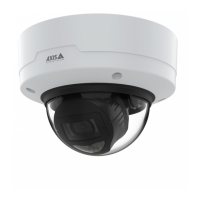
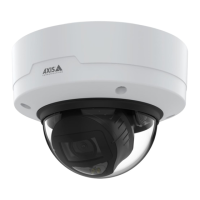
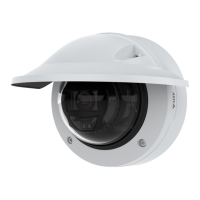
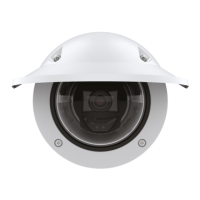
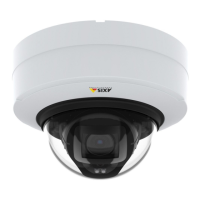
AXISP32DomeCameraSeries
Configureyourdevice
Recordandwatchvideo
Recordvideodirectlyfromthecamera
1.GotoVideo>Image.
2.Tostartarecording,click
.
Ifyouhaven’tsetupanystorage,click
and.Forinstructionsonhowtosetupnetworkstorage,seeSetup
networkstorageonpage10
3.Tostoprecording,click
again.
Watchvideo
1.GotoRecordings.
2.Click
foryourrecordinginthelist.
Setuprulesforevents
Youcancreaterulestomakeyourdeviceperformanactionwhencertaineventsoccur.Aruleconsistsofconditionsandactions.
Theconditionscanbeusedtotriggertheactions.Forexample,thedevicecanstartarecordingorsendanemailwhenitdetects
motion,orshowanoverlaytextwhilethedeviceisrecording.
Tolearnmore,checkoutourguideGetstartedwithrulesforevents.
Recordvideowhenthecameradetectsanobject
ThisexampleexplainshowtosetupthecameratostartrecordingtotheSDcardvesecondsbeforeitdetectsanobjectandto
stoponeminuteafter.
MakesurethatAXISObjectAnalyticsisrunning:
MakesurethatAXISVideoMotionDetectionisrunning:
1.GotoApps>AXISObjectAnalytics.
2.GotoApps>AXISVideoMotionDetection.
3.Starttheapplicationifitisnotalreadyrunning.
4.Makesureyouhavesetuptheapplicationaccordingtoyourneeds.
Createarule:
1.GotoSystem>Eventsandaddarule.
2.Typeanamefortherule.
3.Inthelistofconditions,underApplication,selectObjectAnalytics.
4.Inthelistofconditions,underApplication,selectVMD4.
5.Inthelistofactions,underRecordings,selectRecordvideowhiletheruleisactive.
6.Inthelistofstorageoptions,selectSD_DISK.
7.Selectacameraandastreamprole.
11



 To Next Page