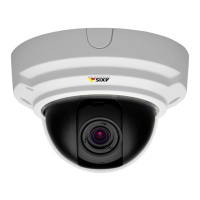
AXISP3354NetworkCamera
Video
3.OntheBasictab,setthezoomlevelusingtheslider.Thebuttons<and>movethezoompositiononestepineither
direction.Thebuttons<<and>>movethezoompositioninmultiplestepsineitherdirection.
4.ClickPerformautofocustofocusthecameraautomatically.
5.Ifmoreadjustmentsareneeded,gototheAdvancedtab.
Note
•Changingthezoomlevelmovesthefocusposition.Focusshouldalwaysbeadjustedafterchangingthezoom.
•Movementsinfrontofthecamerashouldbeavoidedduringautomaticfocusing.
OntheAdvancedtab,focuscanbeadjustedmanually:
1.ClickOpeniristoopentheiristoitsmaximumposition.Thisgivesthesmallestdepthofeldandprovidesthebest
conditionsforfocusing.
2.FocusissetintheFocuswindow.Usethemousetomoveandresizethefocuswindow.
3.ClickintheFocuspositionbartofocusonadesiredlocation.Thebuttons<and>movethefocuspositiononestepin
eitherdirection.Thebuttons<<and>>movethefocuspositioninmultiplestepsineitherdirection.
4.Whensatised,clickEnableiristoenabletheiris.
24



 To Next Page