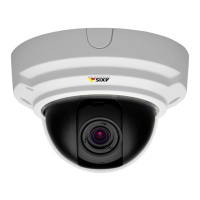
AXISP3354NetworkCamera
Video
UseOverlayTextinanActionRule
Actionrules,seepage35,candisplayanoverlaytextwhentheruleistriggered.Thetextcanbeusedtoprovideinformationfor
forensicvideoanalysis,notifysurveillanceoperatorsorvalidatetriggersandactionsduringproductinstallationandconguration.
Todisplayoverlaytextwhenanactionruleistriggered,themodier#Dshouldbeusedasdescribedbelow.Whentheruleis
triggered,#Dwillbereplacedbythetextspeciedintheactionrule.
Startbyenablingoverlaytextinthevideostream:
1.GotoVideo>VideoStreamandselecttheImagetab.
2.UnderOverlaySettings,selectIncludetext.
3.Enterthemodier#Dand,optionally,additionaltextwhichwillbedisplayedalsowhentheactionruleisnotactive.
Createtheactionrule:
1.GotoEvents>ActionRules
2.ClickAddtocreateanewrule.
3.SelectaTriggerand,optionally,aScheduleandAdditionalconditions.Seetheonlinehelpfordetails.
4.FromtheActionslist,selectOverlayText
5.EnterthetexttodisplayintheTexteld.Thisisthetextthat#Dwillbereplacedby.
6.SpecifytheDuration.Thetextcanbedisplayedwhiletheruleisactiveorforaxednumberofseconds.
Example
Todisplaythetext“Motiondetected”whenmotionisdetected,enter#DintheIncludetexteldandenter“Motiondetected”in
theTexteldwhensettinguptheactionrule.
PrivacyMask
Aprivacymaskisauser-denedareathatpreventusersfromviewingpartsofthemonitoredarea.Privacymasksappearasblocks
ofsolidcolorandareappliedonthevideostream.PrivacymaskscannotbebypassedusingtheVAPIX®applicationprogramming
interface(API).
ThePrivacyMaskList(Video>PrivacyMask)showsallthemasksthatarecurrentlyconguredintheAxisproductandindicates
iftheyareenabled.
Youcanaddanewmask,re-sizethemaskwiththemouse,chooseacolorforthemask,andgivethemaskaname.
Formoreinformation,seetheonlinehelp
Important
Addingmanyprivacymasksmayaffecttheproduct’sperformance.
Focus&Zoom
Focusandzoomshouldonlybeconguredwheninstallingorreinstallingtheproduct.
Forinstallationinstructions,refertotheproduct’sInstallationGuide.
Tosetfocusandzoom:
1.InstallthecameraasdescribedintheInstallationGuide.
2.GotoVideo>Focus&Zoom.
23



 To Next Page