AXISP3365–VFixedDomeNetworkCamera
5.InserttheSDmemorycard(optional).
6.AttachthecameraunittothemountingbracketusingthetwoM4x8screwsprovided.
Note
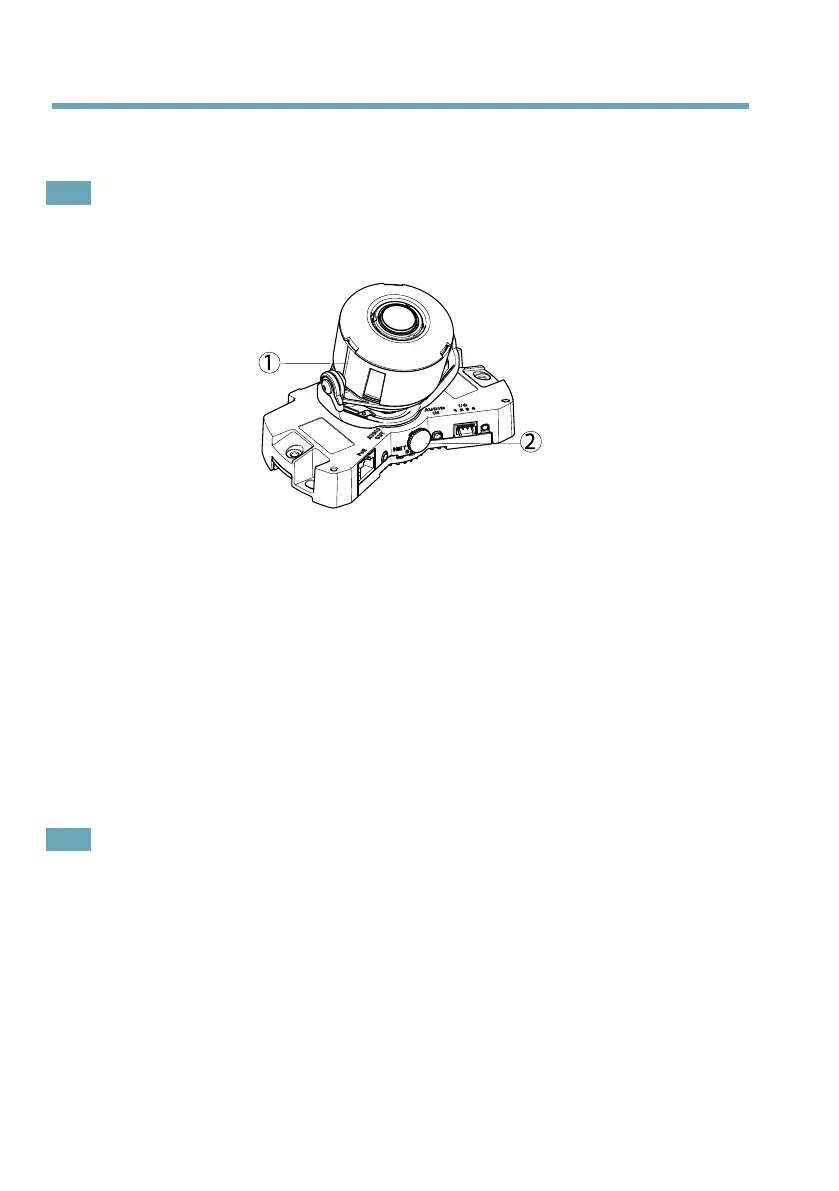
AdjusttheLens
1.
Linestohelpwithhorizontalalignment
2.
Lockingscrew
OpentheLiveViewpage(seeAccesstheProduct,onpage17)inthewebinterfaceandmakethe
followingadjustmentstothecamera:
1.Loosenthelockingscrew.
2.Turnthelenstothedesiredposition.Makesurethelinesoneithersideofthelensare
alignedhorizontally.Ensurethatthemarkonthelenscover,betweenthehorizontal
lines,isfacingup.
3.Oncesatised,gentlytightenthelockingscrewtosecurethecamera’sposition.
4.OpentheFocusAdjustmentpageinthewebinterfaceunderSetup>BasicSetup>
Focus&Zoom,andfollowtheon-screeninstructions.Usetheimagewindowtoadjust
thefocusandzoom.Seetheonlinehelplesformoreinformation.
Note
•Duetothedome’srefraction,theimagemayappearslightlyoutoffocusoncethedome
hasbeenplaced.TocorrectthisgototheFocusAdjustmentpageintheWebinterface
underSetup>BasicSetup>Focus&Zoom,andadjustthefocusagain.
•Adjustingthefocusandzoommanuallycandamagethelens.
16



 To Next Page