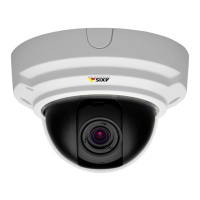
AXISP33NetworkCameraSeries
Setup
8.Selectanexistingstreamproleorcreateanewone.
9.Setthepre-triggertimeto5seconds.
10.Setthepost-triggertimeto60seconds.
11.SelectSDcardfromthelistofstorageoptions.
12.ClickOk.
HowtorecordvideowhenaPIRdetectorsensesmotion
ThisexampleexplainshowtoconnectanAxisPIRdetectortothecamera,andsetupthecameratostartrecordingwhenthe
detectorsensesmotion.
Requiredhardware
•3–wirecable(ground,power,I/O)
•AxisPIRdetector
NO NO
NO
TICE TICE
TICE
Disconnectthecamerafrompowerbeforeconnectingthewires.Reconnecttopowerafterallconnectionsaredone.
Connectthewirestothecamera’sI/Oconnector
Note
ForinformationontheI/Oconnector,seeConnectorsonpage22
1.Connectthegroundwiretopin1(GND/-).
2.Connectthepowerwiretopin2(12VDCoutput).
3.ConnecttheI/Owiretopin3(I/Oinput).
ConnectthewirestothePIRdetector’sI/Oconnector
1.Connecttheotherendofthegroundwiretopin1(GND/-).
2.Connecttheotherendofthepowerwiretopin2(DCinput/+).
3.ConnecttheotherendoftheI/Owiretopin3(I/Ooutput).
ConguretheI/Oportinthecamera’swebpage
1.GotoSettings>System>I/Oports.
2.Givetheinputmoduleadescriptivename.
3.TomakethePIRdetectorsendasignaltothecamerawhenitsensesmotion,selectClosedcircuitinthedrop-downlist.
TotriggerthecameratostartrecordingwhenitreceivesasignalfromthePIRdetector,youneedtocreateanactionruleinthe
camera’swebpage.
17


 To Next Page