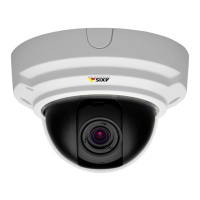
AXISP33NetworkCameraSeries
Setup
Setup
Abouttheproduct'sbuilt-inhelp
Youcanaccessthebuilt-inhelpthroughyourproduct’swebpage.Thehelpprovidesmoredetailedinformationontheproduct’s
featuresandtheirsettings.
Adjustfocusandzoom
NO NO
NO
TICE TICE
TICE
Thisisanelectronically-focusedcamera.Adjustingfocusandzoommanuallyonthecameracandamagethelens.
Note
Duetothedome’srefraction,theimagemayappearslightlyoutoffocusoncethedomehasbeenplaced.Tocorrect
thisgotoSettings>Image>FocusandclickAutofocus.
Toadjustfocusandzoom:
1.GotoSettings>Image>Zoomandsetthedesiredzoomlevel.
2.UnderFocus,clickAutofocus.
Imagequality
Howtoreducemotionblurinlow-lightconditions
Toreducemotionblurinlow-lightconditions,youcanadjustoneormoreofthefollowingsettings:
Note
Imagenoisewillincreaseifyouincreasethegain.
•Increaseshutterspeedandgain.GotoSettings>Image>ExposureandsetMaxshuttertoalowervalue,andMaxgain
toahighervalue.
Note
Thedepthofeldwillgetshallowerifyouopentheaperture.
•Opentheaperture.GotoSettings>Image>ExposureandmovetheTargetapertureslidertowardOpen.
Ifyouarestillexperiencingmotionblur,youcantryoneofthefollowing:
•Increasethelightlevelinthescene.
•Mountthecamerasothatobjectsmovetowarditorawayfromitratherthansideways.
12


 To Next Page