AXISP33NetworkCameraSeries
Setup
Aboutviewarea
Aviewareaisacroppedpartofthefullview.Youcanstreamandstoretheviewareainsteadofthefullviewtominimizebandwidth
andstorageneeds.IfyouenablePTZfortheviewarea,youcanpan,tiltandzoomwithinit.Byusingaviewareayoucanremove
partsofthefullview,forexample,thesky.
Whenyousetupaviewarea,werecommendyoutosetthevideostreamresolutiontothesamesizeasorsmallerthantheviewarea
size.Ifyousetthevideostreamresolutionlargerthantheviewareasizeitimpliesdigitallyscaledupvideoaftersensorcapture,
whichrequiresmorebandwidthwithoutaddingimageinformation.
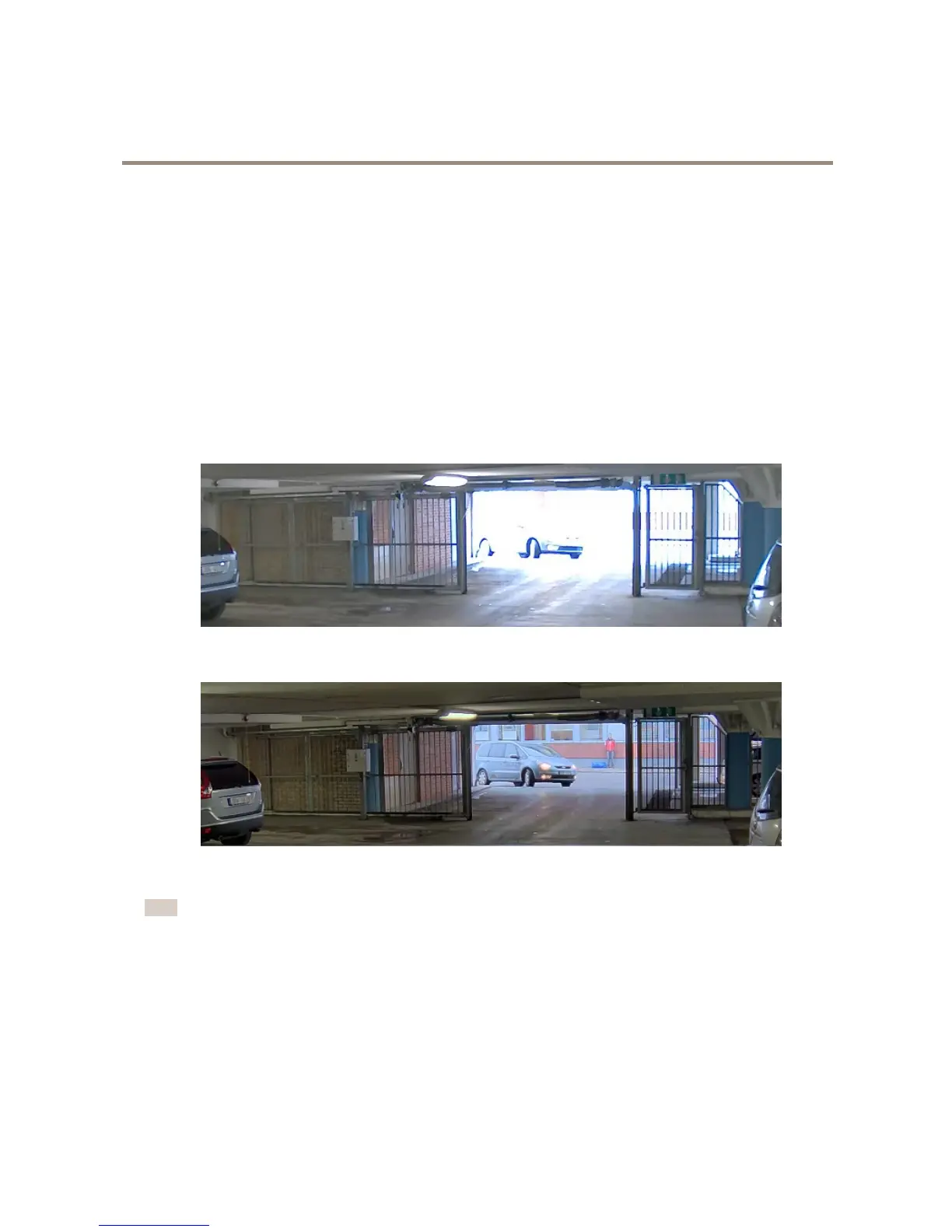
Howtohandlesceneswithstrongbacklight
UseWDRtomakebothdarkandbrightareasoftheimagevisible.
1.GotoSettings>Image.
2.TurnonWDRunderWidedynamicrange.
ImagewithoutWDR.
ImagewithWDR.
Note
IfyouuseWDR,youmayexperiencesomeWDRartifactsintheimage.
FindoutmoreaboutWDRandhowtouseitataxis.com/web-articles/wdr
Aboutoverlays
Overlaysaresuperimposedoverthevideostream.Theyareusedtoprovideextrainformationduringrecordings,suchasatimestamp,
orduringproductinstallationandconguration.
14


 To Next Page