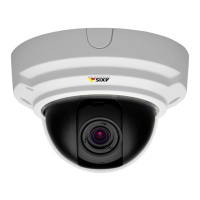
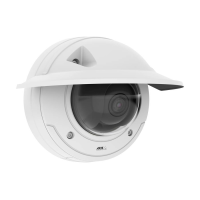
AXISP33NetworkCameraSeries
Additionalsettings
1.GotoSettings>System>Eventsandaddarule.
2.Typeanamefortherule.
3.Inthelistofconditions,underApplication,selectAXISVideoMotionDetection(VMD).
4.Inthelistofactions,underRecordings,selectRecordvideowhiletheruleisactive.
5.Selectanexistingstreamproleorcreateanewone.
6.Settheprebuffertimeto5seconds.
7.Setthepostbuffertimeto60seconds.
8.Inthelistofstorageoptions,selectSDcard.
9.ClickSave.
Showatextoverlayinthevideostreamwhenthedevicedetectsmotion
Thisexampleexplainshowtodisplaythetext“Motiondetected”whenthedevicedetectsmotion:
MakesurethatAXISVideoMotionDetectionisrunning:
1.GotoSettings>Apps>AXISVideoMotionDetection.
2.Starttheapplicationifitisnotalreadyrunning.
3.Makesureyouhavesetuptheapplicationaccordingtoyourneeds.
Addtheoverlaytext:
4.GotoSettings>Overlay.
5.Enter#Dinthetexteld.
6.Choosetextsizeandappearance.
Createarule:
7.GotoSystem>Events>Rulesandaddarule.
8.Typeanamefortherule.
9.Inthelistofconditions,selectAXISVideoMotionDetection.
10.Inthelistofactions,selectUseoverlaytext.
11.Selectaviewarea.
12.Type“Motiondetected”.
13.Settheduration.
14.ClickSave.
RecordvideowhenaPIRdetectorsensesmotion
ThisexampleexplainshowtoconnectanAxisPIRdetectortothecamera,andsetupthecameratostartrecordingwhenthe
detectorsensesmotion.
Requiredhardware
•3-wirecable(ground,power,I/O)
12



 To Next Page