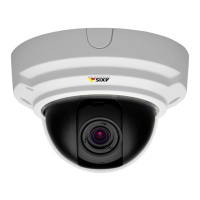
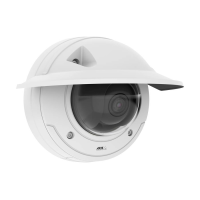
AXISP33NetworkCameraSeries
Additionalsettings
•AxisPIRdetector
NO NO
NO
TICE TICE
TICE
Disconnectthecamerafrompowerbeforeconnectingthewires.Reconnecttopowerafterallconnectionsaredone.
Connectthewirestothecamera’sI/Oconnector
Note
ForinformationontheI/Oconnector,seeConnectorsonpage26.
1.Connectthegroundwiretopin1(GND/-).
2.Connectthepowerwiretopin2(12VDCoutput).
3.ConnecttheI/Owiretopin3(I/Oinput).
ConnectthewirestothePIRdetector’sI/Oconnector
1.Connecttheotherendofthegroundwiretopin1(GND/-).
2.Connecttheotherendofthepowerwiretopin2(DCinput/+).
3.ConnecttheotherendoftheI/Owiretopin3(I/Ooutput).
ConguretheI/Oportinthecamera’swebpage
1.GotoSettings>System>I/Oports.
2.Givetheinputmoduleadescriptivename.
3.TomakethePIRdetectorsendasignaltothecamerawhenitsensesmotion,selectClosedcircuitinthedrop-downlist.
TotriggerthecameratostartrecordingwhenitreceivesasignalfromthePIRdetector,youneedtocreatearuleinthecamera’s
webpage.
Detecttamperingwithinputsignal
Thisexampleexplainshowtotriggeranalarmwhentheinputsignalhasbeencutorshort-circuited.Formoreinformationaboutthe
I/Oconnector,seepage27.
1.GotoSettings>System>I/OPortsandturnonSupervisedI/O.
Createarule:
1.GotoSettings>System>Eventsandaddarule.
2.Typeanamefortherule.
3.Inthelistofconditions,selectDigitalinputandthenselectaport.
4.Inthelistofactions,selectSendnoticationtoemailandthenselectarecipientfromthelist.GotoRecipients
tocreateanewrecipient.
Tocreateanewrecipient,click.Tocopyanexistingrecipient,click.
5.Typeasubjectandamessagefortheemail.
13



 To Next Page