AXISP4705-PLVEPanoramicCamera
Configureyourdevice
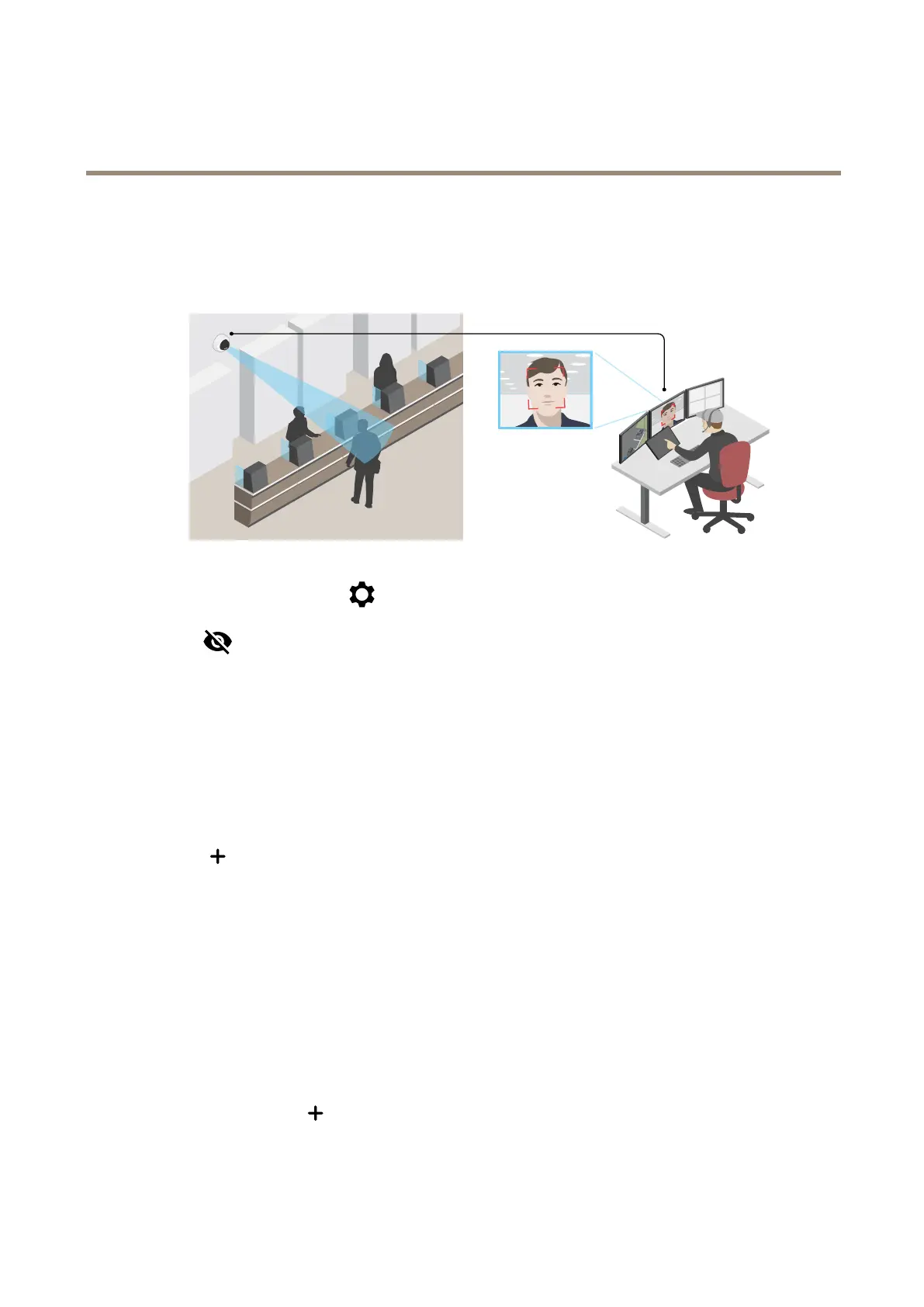
Verifythepixelresolution
Toverifythatadenedpartoftheimagecontainsenoughpixelsto,forexample,recognizethefaceofaperson,youcanusethe
pixelcounter.
1.GotoVideo>Imageandclick.
2.Click
forPixelcounter.
3.Inthecamera’sliveview,adjustthesizeandpositionoftherectanglearoundtheareaofinterest,forexamplewhere
youexpectfacestoappear.
Youcanseethenumberofpixelsforeachoftherectangle’ssides,anddecideifthevaluesareenoughforyourneeds.
Hidepartsoftheimagewithprivacymasks
Youcancreateoneorseveralprivacymaskstohidepartsoftheimage.
1.GotoVideo>Privacymasks.
2.Click
.
3.Clickthenewmaskandtypeaname.
4.Adjustthesizeandplacementoftheprivacymaskaccordingtoyourneeds.
5.Tochangethecolorforallprivacymasks,expandPrivacymasksandselectacolor.
SeealsoPrivacymasksonpage46
Showanimageoverlay
Youcanaddanimageasanoverlayinthevideostream.
1.GotoVideo>Overlays.
2.SelectImageandclick
.
3.GototheImagestab.
10



 To Next Page