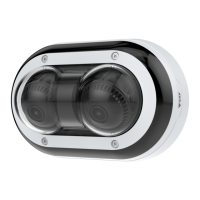
AXISP4705-PLVEPanoramicCamera
Configureyourdevice
1.GotoSystem>Eventsandaddarule.
2.Typeanamefortherule.
3.Inthelistofconditions,underApplication,selectObjectAnalytics.
4.Inthelistofactions,underRecordings,selectRecordvideowhiletheruleisactive.
5.Inthelistofstorageoptions,selectSD_DISK.
6.Selectacameraandastreamprole.
7.Settheprebuffertimeto5seconds.
8.Setthepostbuffertimeto1minute.
9.ClickSave.
Recordvideowhenthecameradetectsloudnoises
ThisexampleexplainshowtosetupthecameratostartrecordingtotheSDcardvesecondsbeforeitdetectsloudnoiseand
tostoptwominutesafter.
Turnonaudio:
1.Setupthestreamproletoincludeaudio,seeAddaudiotoyourrecordingonpage15.
Turnonaudiodetection:
1.GotoSystem>Detectors>Audiodetection.
2.Adjustthesoundlevelaccordingtoyourneeds.
Createarule:
1.GotoSystem>Eventsandaddarule.
2.Typeanamefortherule.
3.Inthelistofconditions,underAudio,selectAudioDetection.
4.Inthelistofactions,underRecordings,selectRecordvideo.
5.Inthelistofstorageoptions,selectSD_DISK.
6.Selectthestreamprolewhereaudiohasbeenturnedon.
7.Settheprebuffertimeto5seconds.
8.Setthepostbuffertimeto2minutes.
9.ClickSave.
Recordvideowhenthecameradetectsimpact
Shockdetectionallowsthecameratodetecttamperingcausedbyvibrationsorshock.Vibrationsduetotheenvironmentortoan
objectcantriggeranactiondependingontheshocksensitivityrange,whichcanbesetfrom0to100.Inthisscenario,someoneis
throwingrocksatthecameraafterhoursandyouwouldliketogetavideoclipoftheevent.
Turnonshockdetection:
1.GotoSystem>Detectors>Shockdetection.
2.Turnonshockdetection,andsetavaluefortheshocksensitivity.
13



 To Next Page