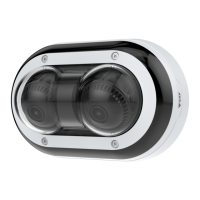
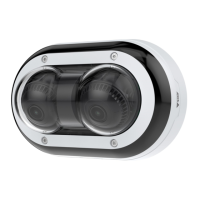
AXISP4705-PLVEPanoramicCamera
Thedeviceinterface
•Refresh:Clicktorefreshthestillimageintheliveview.
Clicktoshowtheliveviewatfullresolution.Ifthefullresolutionislargerthanyourscreensize,usethesmallerimageto
navigateintheimage.
Clicktoshowthelivevideostreaminfullscreen.PressESCtoexitfullscreenmode.
Installation
Capturemode:Acapturemodeisapresetcongurationthatdeneshowthecameracapturesimages.Whenyouchange
thecapturemode,itcanaffectmanyothersettings,suchasviewareasandprivacymasks.
Mountingposition
:Theorientationoftheimagecanchangedependingonhowthecameraismounted.
Powerlinefrequency:Selectthefrequencythatisusedinyourregiontominimizeimageicker.TheAmericanregions
usuallyuse60Hz.Therestoftheworldmostlyuses50Hz.Ifyou'renotsureofyourregion'spowerlinefrequency,check
withthelocalauthorities.
Rotate:Selectthepreferredimageorientation.
Zoom:Usetheslidertoadjustthezoomlevel.
Autofocusarea:Click
toshowtheautofocusarea.Thisareashouldincludetheareaofinterest.
Autofocus:Clicktomakethecamerafocusontheselectedarea.Ifyoudon’tselectanautofocusarea,thecamerafocuses
ontheentirescene.
Resetfocus:Clicktomakethefocusreturntoitsoriginalposition.
Focus:Usetheslidertosetthefocusmanually.
Image
Appearance
Sceneprole:Selectasceneprolethatsuitsyoursurveillancescenario.Asceneproleoptimizesimagesettings,
includingcolorlevel,brightness,sharpness,contrast,andlocalcontrast,foraspecicenvironmentorpurpose.
•Forensic:Suitableforsurveillancepurposes.
•Indoor
:Suitableforindoorenvironments.
•Outdoor:Suitableforoutdoorenvironments.
•Vivid:Usefulfordemonstrationpurposes.
•Trafcoverview:Suitableforvehicletrafcmonitoring.
Saturation:Usetheslidertoadjustthecolorintensity.Youcanforexamplegetagrayscaleimage.
18



 To Next Page