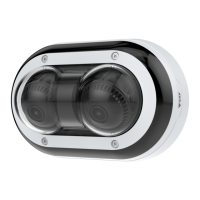
AXISP4705-PLVEPanoramicCamera
Configureyourdevice
3.ClickAutofocus.
4.Tonetunethefocus,adjustthefocusslider.
Selectexposuremode
Toimproveimagequalityforspecicsurveillancescenes,useexposuremodes.Exposuremodesletsyoucontrolaperture,shutter
speed,andgain.GotoVideo>Image>Exposureandselectbetweenthefollowingexposuremodes:
•Formostusecases,selectAutomaticexposure.
•Forenvironmentswithcertainarticiallighting,forexampleuorescentlighting,selectFlicker-free.
Selectthesamefrequencyasthepowerlinefrequency.
•Forenvironmentswithcertainarticiallightandbrightlight,forexampleoutdoorswithuorescentlightingatnightand
sunduringdaytime,selectFlicker-reduced.
Selectthesamefrequencyasthepowerlinefrequency.
•Tolockthecurrentexposuresettings,selectHoldcurrent.
BenetfromIRlightinlow-lightconditionsbyusingnightmode
Yourcamerausesvisiblelighttodelivercolorimagesduringtheday.Butasthevisiblelightdiminishes,colorimagesbecomeless
brightandclear.Ifyouswitchtonightmodewhenthishappens,thecamerausesbothvisibleandnear-infraredlighttodeliverbright
anddetailedblack-and-whiteimagesinstead.Youcansetthecameratoswitchtonightmodeautomatically.
1.GotoVideo>Image>Day-nightmode,andmakesurethattheIR-cutlterissettoAuto.
2.Tosetatwhatlightlevelyouwantthecameratoswitchtonightmode,movetheThresholdslidertowardBrightorDark.
3.Tousethebuilt-inIRlightwhenthecameraisinnightmode,turnonAllowIRilluminationandSynchronizeIR
illumination.
Note
Ifyousettheswitchtonightmodetooccurwhenit’sbrighter,theimageremainssharperasthereislesslow-lightnoise.If
yousettheswitchtooccurwhenit’sdarker,theimagecolorsaremaintainedforlonger,butthereismoreimageblurdue
tolow-lightnoise.
OptimizeIRillumination
Dependingontheinstallationenvironmentandtheconditionsaroundthecamera,forexampleexternallightsourcesinthescene,
youcansometimesimprovetheimagequalityifyoumanuallyadjusttheintensityoftheLEDs.Ifyouhaveproblemswithreections
fromtheLEDs,youcantrytoreducetheintensity.
1.GotoVideo>Image>Day-nightmode.
2.TurnonAllowillumination.
3.Click
andselectManual.
4.Adjusttheintensity.
Reducenoiseinlow-lightconditions
Toreducenoiseinlow-lightconditions,youcanadjustoneormoreofthefollowingsettings:
•Adjustthetrade-offbetweennoiseandmotionblur.GotoVideo>Image>ExposureandmovetheBlur-noisetrade-off
slidertowardLownoise.
•Settheexposuremodetoautomatic.
7



 To Next Page